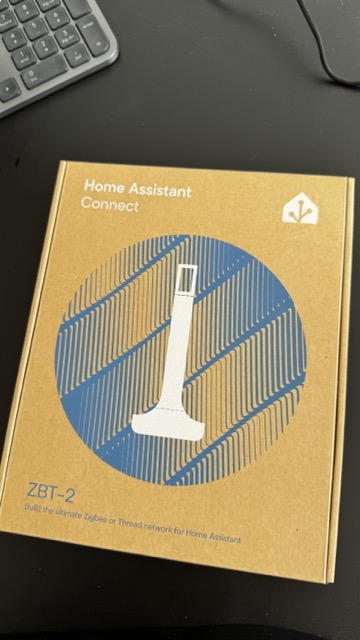
A small box from Nabu Casa landed on my desk this week: the Home Assistant Connect ZBT-2. It’s the official Home Assistant radio stick — successor to the SkyConnect/ZBT-1 — and it’s about to become the anchor of my Thread network. Here’s what it actually is, why I’m using it as a Thread border router instead of an Apple or Google hub, and how the setup works.
Disclosure: some links on this page may become affiliate links. If you buy through them, I earn a small commission at no extra cost to you. I bought this unit myself.
What the ZBT-2 actually is
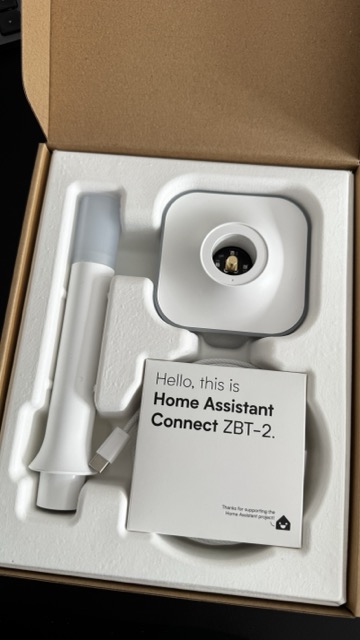
On paper it’s simple: a USB-C dongle that adds a 2.4 GHz 802.15.4 radio to your Home Assistant server. Inside there’s a Silicon Labs EFR32MG24 (Cortex-M33) doing the radio work and an ESP32-S3 acting as the USB-serial bridge. It speaks either Zigbee 3.0 or Thread — you choose during setup, and it can’t do both at once. That one sentence saves you a lot of forum reading.
Compared to the old ZBT-1/SkyConnect, you get more transmit power (up to 10 dBm), a proper detachable 4.16 dBi antenna instead of a PCB trace, and noticeably better resilience against interference. The box includes a desk stand and a USB extension cable — and that cable is not decoration. USB 3.0 ports and SSDs are loud neighbours at 2.4 GHz; putting half a metre between the radio and your server is the single cheapest range upgrade you’ll ever get.
Everything is open source — hardware and firmware — and the enclosure opens without breaking clips, with test pads exposed. Very on-brand for Home Assistant.
Quick specs
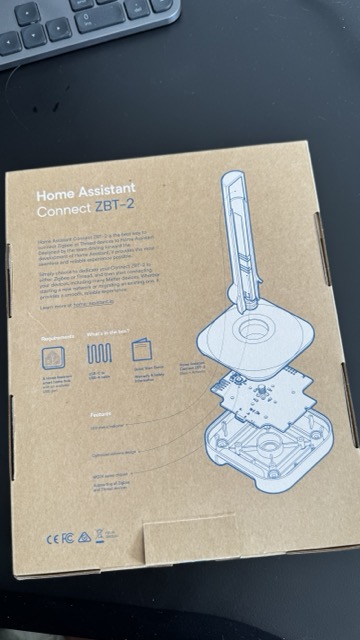
- Radio: Silicon Labs EFR32MG24, 2.4 GHz 802.15.4, up to 10 dBm TX
- Bridge: ESP32-S3, USB-C
- Protocols: Zigbee 3.0 or Thread (one at a time)
- Antenna: 4.16 dBi, detachable, omnidirectional
- Works with: ZHA, Zigbee2MQTT, OpenThread Border Router
- In the box: stick, antenna, desk stand, USB-A→C extension cable
- Price: ~$49 / €49
Why Thread, and why not just use a HomePod?
If you own an Apple TV, HomePod, or a Google Nest hub, you technically already have a Thread border router in the house. So why buy one?
Control. With a big-tech hub, the Thread network credentials live in their ecosystem, and your border router stops working the day you change phone platforms or the vendor changes its mind. With the ZBT-2 running Thread under Home Assistant, the entire network — credentials, routing, commissioning — lives in HAOS, on my hardware, with no account attached. Matter-over-Thread devices get commissioned straight through the Home Assistant Matter integration and never touch a cloud.
That’s the same reason this blog runs Home Assistant in the first place: local control isn’t a feature, it’s the point.
How the Thread border router setup works
The concept trips people up, so here’s the short version: the ZBT-2 is not a border router by itself. It’s the radio. Your Home Assistant server plus the ZBT-2 together become the border router — the device that routes packets between the low-power Thread mesh and your normal home network.
- Plug it in via the extension cable, away from USB 3.0 ports and metal cases. Home Assistant discovers it automatically.
- Choose Thread during setup. HA flashes the OpenThread RCP firmware onto the stick. (Pick Zigbee here instead and it becomes a ZHA/Zigbee2MQTT coordinator — same hardware, different life.)
- Install the OpenThread Border Router add-on. It claims the ZBT-2 as its radio and forms the Thread network. The Thread integration in HA shows your network and its credentials.
- Commission Matter-over-Thread devices with the Home Assistant companion app. Scan the QR code, the device gets the Thread credentials, joins the mesh, and shows up as a Matter entity. Fully local.
From there, every mains-powered Thread device you add (plugs, bulbs) also acts as a router and strengthens the mesh — Thread’s quiet superpower over Wi-Fi gadgets.
Things worth knowing before you buy
- One protocol per stick. If you already run Zigbee, keep your existing coordinator for Zigbee and dedicate the ZBT-2 to Thread (my setup), or vice versa. Don’t plan on one stick doing both.
- Use the extension cable. Yes, I’m repeating it. It matters that much.
- Channel planning: Thread, Zigbee and Wi-Fi all share 2.4 GHz. Keep your Wi-Fi on a fixed channel and let Thread/Zigbee live in the gaps.
- Matter-over-Thread is the future-proofing play. The interesting new sensors and locks are increasingly shipping as Matter-over-Thread first.
Verdict so far
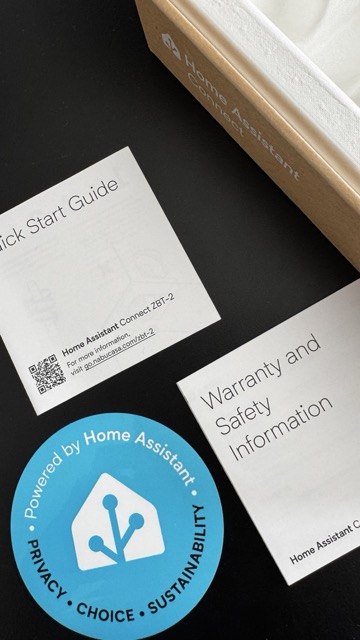
At ~$49 it’s not the cheapest 802.15.4 radio you can buy, but it’s the one built and maintained by the people who build Home Assistant itself — firmware updates arrive through HA, setup is genuinely plug-and-pick-a-protocol, and the open hardware means it won’t become a paperweight when priorities shift. As the anchor for a local-first Thread network, it’s exactly the boring, reliable piece of infrastructure I want.
The full setup walkthrough — OTBR add-on, first Matter commissioning, and the inevitable mistakes — will be its own build log soon. Subscribe to the newsletter below if you want it when it lands.
Leave a Reply