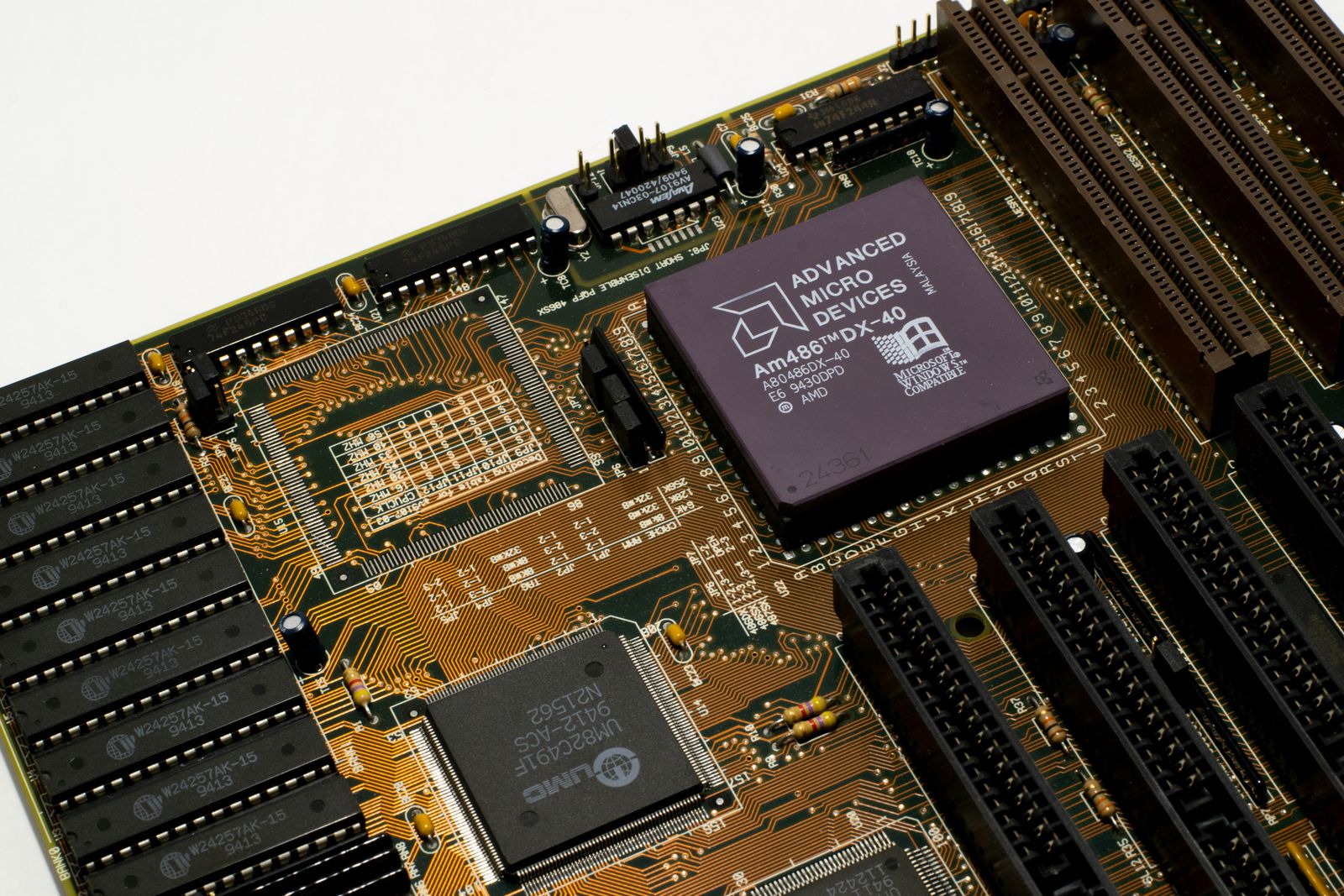
There’s a deadline making the rounds this month, and for once the headlines aren’t exaggerating: on 27 June 2026 one of the Microsoft certificates that underpins UEFI Secure Boot on virtually every PC built in the last fifteen years finally expires. The tech press has framed it as a quiet security cliff — “your old PC has a deadline” — and the advice is broadly the same everywhere: keep Windows updated and let the certificate refresh roll out to you.
Which is excellent advice, except for one thing. The machine I care most about — the used HP EliteDesk 800 G4 mini that runs my whole house — doesn’t run Windows, doesn’t get Windows Update, and has Secure Boot switched off on purpose. So I spent an evening working out whether this deadline touches my Home Assistant box at all. The short version: it doesn’t. The longer version is the part worth writing down, because the deadline pointed at a question I’d been comfortably ignoring.
This is a build log from one home, documented honestly. Nothing here is sponsored and there are no affiliate links in this post — just what I found when I checked my own machine.
What’s actually expiring
Secure Boot works off a small set of certificates baked into your motherboard’s firmware. They decide what’s allowed to load before the operating system starts. Most of those trust anchors date from 2011, and they were always going to age out. The big one, the Microsoft Corporation UEFI CA 2011, expires on 27 June 2026; a second, the Windows Production PCA 2011 used to sign the Windows boot loader, follows on 19 October 2026. Microsoft’s own support note lays out the timeline and the fix in plain terms.
Here’s the reassuring bit that gets lost in the scarier headlines: nothing bricks on the 28th. A machine with expired Secure Boot certificates keeps booting exactly as before. What you lose is future trust — the system stops being able to validate new boot components signed against fresh certificates, and on Windows it stops receiving updates to the boot manager and Secure Boot databases through Windows Update. The fix is to enrol the replacement 2023 certificates before the old ones lapse, and on a maintained Windows PC that refresh is being pushed out for you automatically. For the average laptop owner, the correct action really is “do nothing, stay updated.”
Why my Home Assistant box is the wrong patient
None of that delivery mechanism exists on my setup. Home Assistant OS installed bare-metal on a generic x86-64 box has one firm requirement in the official install guide: UEFI boot enabled, Secure Boot disabled. HAOS isn’t signed against Microsoft’s keys, so you turn Secure Boot off in the BIOS to let it boot at all. My EliteDesk has run that way since day one.
So the certificate that expires on 27 June was never doing any work on my machine. There’s no Windows Update channel to push a 2023 cert refresh, and Secure Boot — the feature those certificates serve — is switched off anyway. The deadline that’s dominating the PC news this week is, for my home server, a non-event. I could close the tab.
And that’s exactly the moment I made myself stop and be honest. “This deadline doesn’t apply to me” is true, but it’s the kind of true that can quietly mean “nobody is patching the firmware on this box, including me.” Turning Secure Boot off didn’t make the underlying firmware secure. It just removed one of the safety nets that was watching it — and removed the operating system that would have nagged me about the others.
The question underneath the deadline
A mini PC like the EliteDesk 800 G4 has more than a BIOS. It has Intel’s Management Engine — the CSME firmware that lives below the operating system and has been the subject of a long line of security advisories over the years. On a Windows machine, CSME and BIOS updates tend to arrive folded into the vendor’s update utility or Windows Update, applied with a reboot, barely noticed. Strip Windows out of the picture and that whole stream of low-level patches stops arriving on its own. There is no daemon running on stock HAOS that says “your platform firmware is two years old.”
This is the real trade of going local-first and no-cloud, and it’s one I signed up for gladly: I took the convenience away from a vendor and kept it for myself. The bill for that is that the patching calendar is now mine too. Not the application layer — Home Assistant updates itself happily — but the firmware floor underneath it.

How you actually patch an HP desktop without Windows
My first hope was the clean Linux answer: fwupd and the Linux Vendor Firmware Service. On a Dell or a Lenovo, plenty of machines will take a BIOS update with a single fwupdmgr update straight from LVFS, capsule-applied safely on the next reboot. It’s genuinely one of the nicest things in the Linux firmware world.
HP is a different story. HP sponsors LVFS but ships only a small handful of models through it, and the deeper CSME updates are largely off the table for older silicon — Intel’s capsule-format CSME updates only became possible from 13th-gen chips, and the G4 is 8th-gen Coffee Lake. Stock HAOS doesn’t ship fwupd as a user-facing tool anyway. So for this particular box the tidy path mostly isn’t available, and the realistic route is the old-fashioned one: download the latest BIOS for the exact product number from HP’s support site, and HP’s own security bulletins to see what it fixes, then flash it from a FAT32 USB stick using the firmware’s built-in updater (on these HP machines, the BIOS flash option under the F10 setup menu). It’s manual, it’s a little tedious, and it works without Windows ever being installed.
What I’m actually doing about it
Nothing dramatic, which is the point. I checked the BIOS version currently on the box against the newest one HP lists for the 800 G4, read the bulletin to confirm what the gap actually contains, and put the update on the calendar the same way I handle a Zigbee firmware flash: a quiet weekday morning when nobody’s home and a few minutes of downtime won’t strand anyone in the dark. Platform firmware is the one layer where I genuinely want to be conservative — you update it deliberately, with a known-good power supply and the release notes open, or you leave it alone on purpose. What you don’t get to do, once you’ve left the cloud and the vendor’s update nag behind, is forget it exists.
So the 27 June Secure Boot deadline turned out to be the best kind of false alarm. It cost me an evening, it didn’t apply to my server, and it left me with a slightly more honest mental model of my own setup: the cloud isn’t patching this machine, Microsoft isn’t patching this machine, and that was the entire idea. The flip side of “I decide” is “I remember.” Worth a calendar entry. Worth writing down.
Sources: Microsoft’s Secure Boot certificate expiration and CA updates note; the Home Assistant Generic x86-64 installation guide (UEFI on, Secure Boot off); the Linux Vendor Firmware Service / fwupd project; and HP’s security bulletins for per-model BIOS and firmware advisories.
Leave a Reply