Category: Gear

  • Shelly 1PM Gen4 Alternatives: 5 Relays Worth Considering

    Shelly 1PM Gen4 Alternatives: 5 Relays Worth Considering

    The Shelly 1 Gen4 and 1PM Mini Gen4 cover most of my in-wall switching, but readers keep asking the obvious follow-up: is there anything else out there? Specifically, is there a real alternative to the full-size Shelly 1PM Gen4 — the 16A relay with built-in power metering — from another manufacturer? I went looking. The short answer: yes, but almost nobody matches all of what the Shelly does at once.

    Disclosure: some links on this page may become affiliate links. If you buy through them, I earn a small commission at no extra cost to you.

    What you’re actually trying to replace

    The reason the 1PM Gen4 is hard to beat isn’t any single spec — it’s the combination. In one wall-box-sized module you get 16A switching, real power and energy metering, no hub required (it exposes a local HTTP API and MQTT over Wi-Fi), and multiprotocol flexibility — Wi-Fi and Bluetooth out of the box, switchable to Zigbee or Matter. Most competitors nail two or three of those and quietly drop the rest. So the right alternative depends entirely on which of those four things you’re willing to give up.

    The five alternatives worth knowing

    1. Aqara Single Switch Module T1 — the closest true match

    This is the most direct like-for-like: a Zigbee in-wall relay with genuine power and energy metering, in a similar compact size. If you already run Aqara or a solid Zigbee mesh, it does almost exactly what the Shelly does. The catch is that it’s Zigbee-only and happiest through an Aqara hub, so you lose the Shelly’s hub-free Wi-Fi independence and its protocol-switching trick.

    2. Sonoff MINIR4 / MINIR4M — cheapest, but no metering

    Sonoff is the usual price-fighter, and this is exactly where it stumbles. Its in-wall minis are excellent little relays — the MINIR4M even adds Matter — but they have no power metering at all. Sonoff’s energy-monitoring lives in its plugs and DIN-rail modules (POWR3, POW Elite), not in a wall-box relay. So Sonoff is only an “alternative” if you’re happy to drop the metering requirement to save money.

    3. EVVR Energy Monitoring Relay — 16A metering with HomeKit

    EVVR built this one specifically around accurate energy monitoring at a full 16A, with Matter and native HomeKit support. It’s a genuine 16A-plus-metering competitor and a strong pick if you live in the Apple Home world. Downsides: it’s pricier than the Shelly and has a larger footprint, so back-box space matters.

    4. Tuya / MOES / Zemismart Zigbee relays — cheap and metered, if you’re brave

    There’s a whole class of white-label Zigbee in-wall modules with power metering, sold under Tuya, MOES, Zemismart and others, often for very little money. In Zigbee2MQTT or ZHA they can work well. But build quality and firmware are inconsistent, and there’s no clean local Wi-Fi/HTTP API like Shelly’s — so treat them as a budget/tinkerer route, not a set-and-forget one.

    5. Staying inside Shelly’s own range

    Sometimes the best “alternative” is a different Shelly. The 2PM Gen4 gives you two metered channels at 16A each in one box — great where two loads sit together. And the DIN-rail Wave Pro 1PM covers the same 16A-with-metering job in a consumer-unit form factor. Same ecosystem, same app, no compromises on local control.

    Quick comparison

    Device Metering Max current Protocol Hub needed?
    Shelly 1PM Gen4 Yes 16A Wi-Fi/BT, switchable Zigbee or Matter No
    Aqara Single Switch Module T1 Yes ~10–16A Zigbee Aqara hub preferred
    Sonoff MINIR4M No 10A Wi-Fi + Matter No
    EVVR Energy Monitoring Relay Yes 16A Matter / HomeKit Hub/bridge
    Tuya / MOES / Zemismart Usually Varies Zigbee Zigbee coordinator

    Ratings vary by exact SKU and region — always check the specific model’s datasheet before wiring it to a real load.

    So which should you buy?

    If your requirement is the full set — in-wall, 16A, metered, hub-free, and multiprotocol — the Shelly 1PM Gen4 is genuinely still close to unique, and switching brands mostly means giving something up.

    Pick Aqara’s T1 module if you’re already invested in Zigbee/Aqara and want the closest metered equivalent. Pick EVVR if you want 16A metering with proper HomeKit. Reach for Sonoff only when you can live without metering and just want cheap reliable switching. And go Tuya/MOES/Zemismart only if you enjoy the Zigbee2MQTT rabbit hole and want metering on a shoestring.

    For my own house, the Shelly stays the default — but it’s healthy that the alternatives finally exist. Competition is how these things get cheaper.
  • Shelly 1 Gen4 vs 1PM Mini Gen4: Which Relay Goes Where?

    Shelly 1 Gen4 vs 1PM Mini Gen4: Which Relay Goes Where?

    If you’ve shopped Shelly’s Gen4 line recently you’ve probably hit the same wall I did: there are now four “Shelly 1” relays that all sound nearly identical. The two people ask me about most are the full-size Shelly 1 Gen4 and the tiny Shelly 1PM Mini Gen4. They look like the same product in two sizes — but they actually differ on three things at once, and picking the wrong one means either a relay that won’t fit your wall box or one that can’t carry your load. Here’s how I decide.

    Disclosure: some links on this page may become affiliate links. If you buy through them, I earn a small commission at no extra cost to you.

    Same family, three differences at once

    The confusing part is that these two aren’t a clean “big vs small” pair. Going from the 1 Gen4 to the 1PM Mini Gen4 changes the size, the maximum current, and whether you get power metering — all in one step. So it helps to name what each letter and word in the product name actually does.

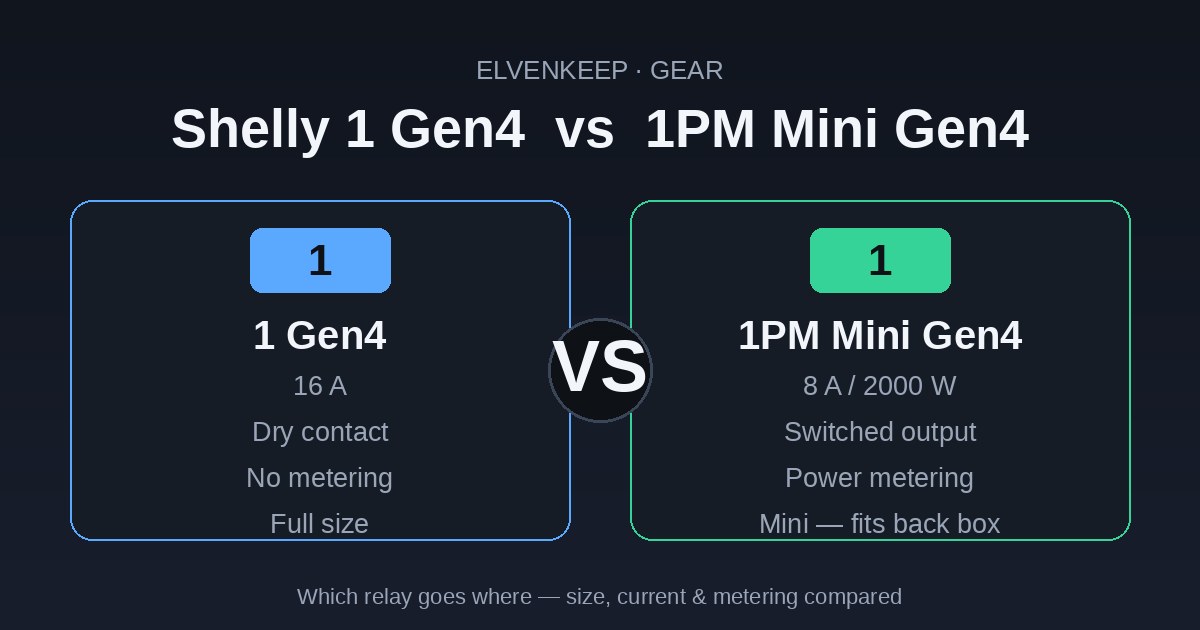
    The “PM” means Power Metering: the device measures real-time voltage, current, wattage, and accumulated energy, and reports it to Home Assistant or the Shelly app. The plain 1 Gen4 has no metering at all — it only switches.

    The “Mini” means the module physically shrinks to fit inside a crowded back box behind an existing switch or socket, at the cost of a lower current rating.

    Shelly 1 Gen4: the full-size dry-contact workhorse

    The Shelly 1 Gen4 is the one I reach for when something needs real switching capacity or galvanic isolation. Its relay is a potential-free (dry) contact rated to 16A, which means it doesn’t pass your mains through to the load — it just opens and closes a contact. That’s exactly what you want for switching a separate circuit, a boiler call-for-heat input, a garage door motor, an electric gate, or anything running on a different voltage than the module itself.

    What it does not do is tell you how much power that load is drawing. There’s no energy reporting, because there’s no metering hardware inside. For a boiler relay or a gate, that’s fine — you rarely care about the wattage of a dry contact.

    Shelly 1PM Mini Gen4: metering in a matchbox

    The Shelly 1PM Mini Gen4 takes the opposite priorities. It’s small enough to disappear inside a junction box behind a light switch, and it adds the power metering the plain 1 lacks — so every light, fan, or appliance it controls becomes a live energy sensor in Home Assistant. The trade-off is capacity: it’s a switched output rated to 8A / ~2000W, not a 16A dry contact.

    For the bulk of a smart home — ceiling lights, extractor fans, a desk-lamp circuit, under-cabinet LEDs — that’s plenty, and the per-device consumption data is genuinely useful for spotting a fan left running or building an energy dashboard.

    Head to head

    Shelly 1 Gen4 Shelly 1PM Mini Gen4
    Power metering No Yes (V, A, W, kWh)
    Max current 16A 8A (~2000W)
    Relay type Potential-free (dry) contact Switched output
    Size Full-size module Mini — fits a crowded back box
    Connectivity Wi-Fi, Bluetooth, Zigbee, Matter Wi-Fi, Bluetooth, Zigbee, Matter
    Best for Boilers, gates, separate circuits, high loads, isolation Lights, fans, low-load devices where you want energy data

    Don’t forget the other two in the grid

    Because the difference is really two independent choices — size and metering — Shelly fills out the full 2×2 grid, and the other two corners are often the better answer:

    If you want metering and 16A capacity, that’s the full-size Shelly 1PM Gen4. If you just need a small dry-contact switch with no metering, that’s the Shelly 1 Mini Gen4 (8A). Laying it out as a grid makes the choice obvious:

    No metering Power metering
    Full size (16A, dry contact) Shelly 1 Gen4 Shelly 1PM Gen4
    Mini (8A) Shelly 1 Mini Gen4 Shelly 1PM Mini Gen4

    How they fit a Home Assistant setup

    Both join Home Assistant the same way and share the Gen4 multiprotocol trick: out of the box they speak Wi-Fi and Bluetooth, and you can flip them to Zigbee or Matter from the button or app. If you’ve already set up a Thread/Zigbee border router like the ZBT-2, the Zigbee and Matter modes drop straight into that mesh. In Wi-Fi mode you also get MQTT, webhooks, and the local web UI, so automations keep running even if your HA server is down — the same independence that makes the Shelly Flood Gen4 such a strong fail-safe leak sensor.

    The practical difference is what each one contributes to your dashboard. The 1PM Mini gives you a per-device power sensor for free — useful for energy automations like “tell me if the bathroom fan has been on for more than an hour,” and exactly the kind of tile worth surfacing when you’re building a clean Home Assistant dashboard. The plain 1 Gen4 gives you a clean, isolated switch entity and nothing else, which is exactly right when it’s wired to something like a boiler input where mixing voltages would be dangerous.

    My rule of thumb

    Reach for the Shelly 1 Gen4 when the job needs muscle or isolation: a high-current load, a separate circuit, or a dry-contact input on a boiler, gate, or garage motor. Metering would be wasted there anyway.

    Reach for the Shelly 1PM Mini Gen4 when you’re retrofitting behind an existing switch and the load is light — lights and fans — and you want that circuit to double as an energy sensor. The small body is the whole point: it goes where the full module physically won’t.

    And if you find yourself wanting both metering and 16A, or both small size and a dry contact, that’s your sign to look at the other two corners of the grid rather than forcing one of these two to do a job it wasn’t built for.

  • Shelly Flood Gen4 vs IKEA KLIPPBOK: Which Leak Sensor Belongs in Your Smart Home?

    Water damage is the most boring disaster there is. No drama, no warning — just a slow drip behind the washing machine that turns into a four-figure repair bill. So leak sensors were always going to be early additions to my setup. Right now there are two interesting candidates at very different price points: the Shelly Flood Gen4 (~€30) and IKEA’s new KLIPPBOK (~€7). I dug into both to decide what goes where in my house.

    Disclosure: some links on this page may become affiliate links. If you buy through them, I earn a small commission at no extra cost to you.

    Two very different philosophies

    These aren’t really the same product at different prices — they’re two answers to different questions.

    The KLIPPBOK is a classic spot sensor: a small pill-shaped puck (17 × 70 × 40 mm) with two metal probes on the underside. Water touches the probes, it screams — the built-in siren is genuinely loud up close — flashes orange, and reports the leak over Matter-over-Thread. At €6.99 it’s priced like an impulse buy at the checkout, which is exactly what IKEA wants it to be.

    The Shelly Flood Gen4 thinks bigger. Instead of probes on the bottom, it uses a 2-metre leak sensor cable that detects water along its entire length — and you can chain additional cables up to a frankly absurd 150 metres. It also speaks more languages than most smart home devices: Wi-Fi, Bluetooth, Zigbee, and Matter, switchable via the button (Matter firmware is the default; five rapid presses flips it to Zigbee). Add three alarm-intensity modes, a rain-detection mode for outdoor automation, MQTT, webhooks, and a built-in web interface, and it’s less a sensor than a small platform.

    Head to head

    Shelly Flood Gen4 IKEA KLIPPBOK
    Price ~€30 / $33 ~€6.99 / $7.99
    Protocol Wi-Fi, Bluetooth, Zigbee or Matter (switchable) Matter-over-Thread only
    Detection 2 m sensor cable, extendable to 150 m Two point probes on the underside
    Local siren Buzzer, 3 alarm modes (Intense/Normal/Economic) Loud built-in siren, one behaviour
    Batteries 4× AA (included), ~2 years 2× AAA (not included)
    Extras Rain mode, MQTT, webhooks, web UI, IP44 LED indicator, firmware updates via Matter
    Size 97 × 76 × 25 mm 17 × 70 × 40 mm
    Works without any hub? Yes (Wi-Fi + app/web UI) Siren works standalone; smart features need a Thread border router

    How they fit a Home Assistant setup

    The KLIPPBOK is tailor-made for the Thread network I just built around the ZBT-2 border router. Pop in two AAAs, scan the Matter QR code in the companion app, done — fully local, no IKEA DIRIGERA hub, no cloud account. (The usual Matter caveats apply: IPv6 enabled, phone on the same network as HA while pairing.)

    The Shelly gives you options. In Matter mode it commissions like any Matter device; in Zigbee mode it joins ZHA or Zigbee2MQTT. But the sleeper feature for Home Assistant users is Wi-Fi mode with MQTT and webhooks — the sensor can directly trigger a Shelly smart valve or relay to shut off the water main, even if your HA server happens to be down. For a failure-of-last-resort device, that independence is worth something.

    The fine print nobody mentions

    Two honest caveats from real-world testing rather than spec sheets.

    First, the KLIPPBOK’s rubber feet hold its probes roughly 2 mm above the floor — so a thin film of water creeping across a slightly sloped floor may never reach them. It’s more a “flood detector” than a “leak detector”. For a drip-tray under a boiler it’s fine; for catching the first millimetre of water it’s not ideal. The Shelly’s cable lies flat on the floor and triggers anywhere along its length, which is simply a better detection mechanism.

    Second, reliability. Early reports on IKEA’s Matter-over-Thread range include occasional pairing hiccups and devices briefly flapping between connected and disconnected. A strong Thread mesh (mains-powered Thread routers nearby) helps a lot. The Shelly checks its sensor every 5 seconds to save battery, so detection isn’t quite instant — and high humidity or a cable touching metal pipes can cause false alarms, fixable with the configurable state-hold time.

    My verdict: it’s not either/or

    At a 4:1 price ratio, this is a placement question, not a brand war.

    KLIPPBOK for volume: under every sink, behind the toilet, next to the dishwasher. At €7 each you can blanket the house for the price of two Shellys, and every one of them strengthens the case for the Thread network you already run.

    Shelly Flood Gen4 for the critical spots: the utility room, along the washing machine and boiler plumbing, anywhere a cable snaked along the pipes beats a puck on the floor — and anywhere you want the sensor to slam a water valve shut on its own, no questions asked.

    That’s the plan for my house: one Shelly guarding the utility room, a handful of KLIPPBOKs everywhere else. Total cost: less than a single visit from a plumber.

  • Home Assistant Connect ZBT-2: The $49 Stick That Became My Thread Border Router

    Home Assistant Connect ZBT-2: The $49 Stick That Became My Thread Border Router

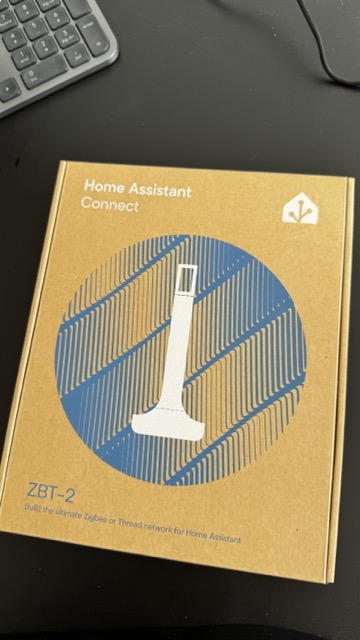
    A small box from Nabu Casa landed on my desk this week: the Home Assistant Connect ZBT-2. It’s the official Home Assistant radio stick — successor to the SkyConnect/ZBT-1 — and it’s about to become the anchor of my Thread network. Here’s what it actually is, why I’m using it as a Thread border router instead of an Apple or Google hub, and how the setup works.

    Disclosure: some links on this page may become affiliate links. If you buy through them, I earn a small commission at no extra cost to you. I bought this unit myself.

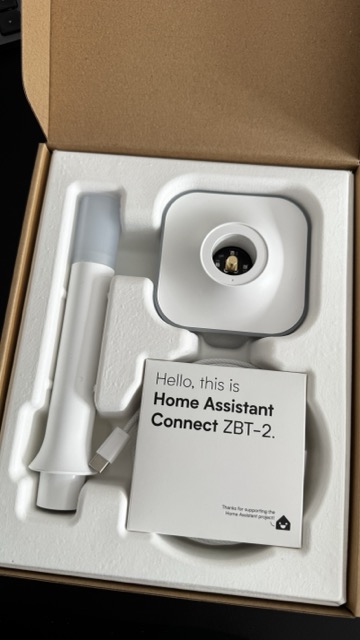
    ZBT-2 unboxed: USB stick, antenna and desk stand in tray
    Fresh out of the box: the stick, the desk stand, and a very polite hello.

    What the ZBT-2 actually is

    On paper it’s simple: a USB-C dongle that adds a 2.4 GHz 802.15.4 radio to your Home Assistant server. Inside there’s a Silicon Labs EFR32MG24 (Cortex-M33) doing the radio work and an ESP32-S3 acting as the USB-serial bridge. It speaks either Zigbee 3.0 or Thread — you choose during setup, and it can’t do both at once. That one sentence saves you a lot of forum reading.

    Compared to the old ZBT-1/SkyConnect, you get more transmit power (up to 10 dBm), a proper detachable 4.16 dBi antenna instead of a PCB trace, and noticeably better resilience against interference. The box includes a desk stand and a USB extension cable — and that cable is not decoration. USB 3.0 ports and SSDs are loud neighbours at 2.4 GHz; putting half a metre between the radio and your server is the single cheapest range upgrade you’ll ever get.

    Everything is open source — hardware and firmware — and the enclosure opens without breaking clips, with test pads exposed. Very on-brand for Home Assistant.

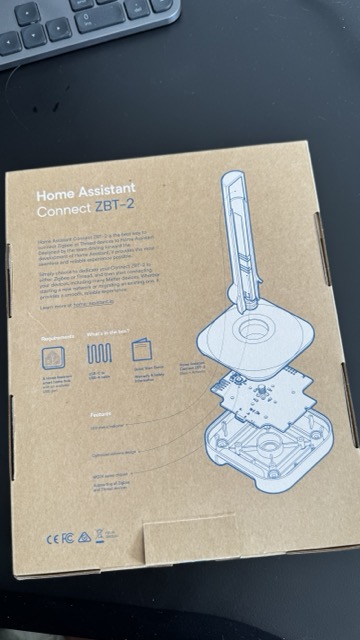
    ZBT-2 box back with exploded hardware diagram
    The back of the box doubles as an exploded hardware diagram — open-source down to the packaging.

    Quick specs

    • Radio: Silicon Labs EFR32MG24, 2.4 GHz 802.15.4, up to 10 dBm TX
    • Bridge: ESP32-S3, USB-C
    • Protocols: Zigbee 3.0 or Thread (one at a time)
    • Antenna: 4.16 dBi, detachable, omnidirectional
    • Works with: ZHA, Zigbee2MQTT, OpenThread Border Router
    • In the box: stick, antenna, desk stand, USB-A→C extension cable
    • Price: ~$49 / €49

    Why Thread, and why not just use a HomePod?

    If you own an Apple TV, HomePod, or a Google Nest hub, you technically already have a Thread border router in the house. So why buy one?

    Control. With a big-tech hub, the Thread network credentials live in their ecosystem, and your border router stops working the day you change phone platforms or the vendor changes its mind. With the ZBT-2 running Thread under Home Assistant, the entire network — credentials, routing, commissioning — lives in HAOS, on my hardware, with no account attached. Matter-over-Thread devices get commissioned straight through the Home Assistant Matter integration and never touch a cloud.

    That’s the same reason this blog runs Home Assistant in the first place: local control isn’t a feature, it’s the point.

    How the Thread border router setup works

    The concept trips people up, so here’s the short version: the ZBT-2 is not a border router by itself. It’s the radio. Your Home Assistant server plus the ZBT-2 together become the border router — the device that routes packets between the low-power Thread mesh and your normal home network.

    1. Plug it in via the extension cable, away from USB 3.0 ports and metal cases. Home Assistant discovers it automatically.
    2. Choose Thread during setup. HA flashes the OpenThread RCP firmware onto the stick. (Pick Zigbee here instead and it becomes a ZHA/Zigbee2MQTT coordinator — same hardware, different life.)
    3. Install the OpenThread Border Router add-on. It claims the ZBT-2 as its radio and forms the Thread network. The Thread integration in HA shows your network and its credentials.
    4. Commission Matter-over-Thread devices with the Home Assistant companion app. Scan the QR code, the device gets the Thread credentials, joins the mesh, and shows up as a Matter entity. Fully local.

    From there, every mains-powered Thread device you add (plugs, bulbs) also acts as a router and strengthens the mesh — Thread’s quiet superpower over Wi-Fi gadgets.

    Things worth knowing before you buy

    • One protocol per stick. If you already run Zigbee, keep your existing coordinator for Zigbee and dedicate the ZBT-2 to Thread (my setup), or vice versa. Don’t plan on one stick doing both.
    • Use the extension cable. Yes, I’m repeating it. It matters that much.
    • Channel planning: Thread, Zigbee and Wi-Fi all share 2.4 GHz. Keep your Wi-Fi on a fixed channel and let Thread/Zigbee live in the gaps.
    • Matter-over-Thread is the future-proofing play. The interesting new sensors and locks are increasingly shipping as Matter-over-Thread first.
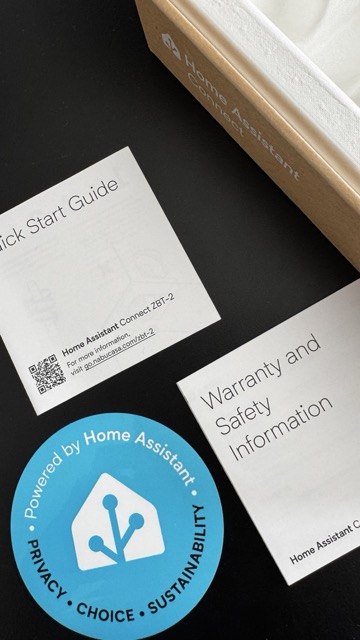
    Quick start guide, warranty leaflet and Powered by Home Assistant sticker
    Quick start guide, warranty leaflet, and the obligatory laptop sticker.

    Verdict so far

    At ~$49 it’s not the cheapest 802.15.4 radio you can buy, but it’s the one built and maintained by the people who build Home Assistant itself — firmware updates arrive through HA, setup is genuinely plug-and-pick-a-protocol, and the open hardware means it won’t become a paperweight when priorities shift. As the anchor for a local-first Thread network, it’s exactly the boring, reliable piece of infrastructure I want.

    The full setup walkthrough — OTBR add-on, first Matter commissioning, and the inevitable mistakes — will be its own build log soon. Subscribe to the newsletter below if you want it when it lands.

  • I Spent Weeks Choosing a €200 Mini PC for Home Assistant. Here’s What Actually Mattered.

    I Spent Weeks Choosing a €200 Mini PC for Home Assistant. Here’s What Actually Mattered.

    It started, as these things do, with a single innocent question: “Is this computer any good for running Home Assistant?”

    A used HP EliteDesk for 168 francs. A reasonable machine. I could have bought it that afternoon and been running Home Assistant by dinner. Instead, I went down a rabbit hole so deep I came out the other side with a different philosophy about buying hardware entirely — and a returned package on my conscience.

    If you’re standing at the trailhead of your own home-server journey, maybe my detour can save you a few wrong turns. Or at least make you feel better about your own.

    The spec spiral

    Here’s the thing nobody tells you when you start shopping for a Home Assistant box: almost anything works.

    Home Assistant Operating System, running bare metal, uses something like 2 GB of RAM and a rounding error’s worth of CPU. A Raspberry Pi handles it. A decade-old office PC handles it with contempt. The “requirements” are so modest that the entire premise of comparison shopping starts to wobble the moment you look at it honestly.

    I did not look at it honestly. Not for a while.

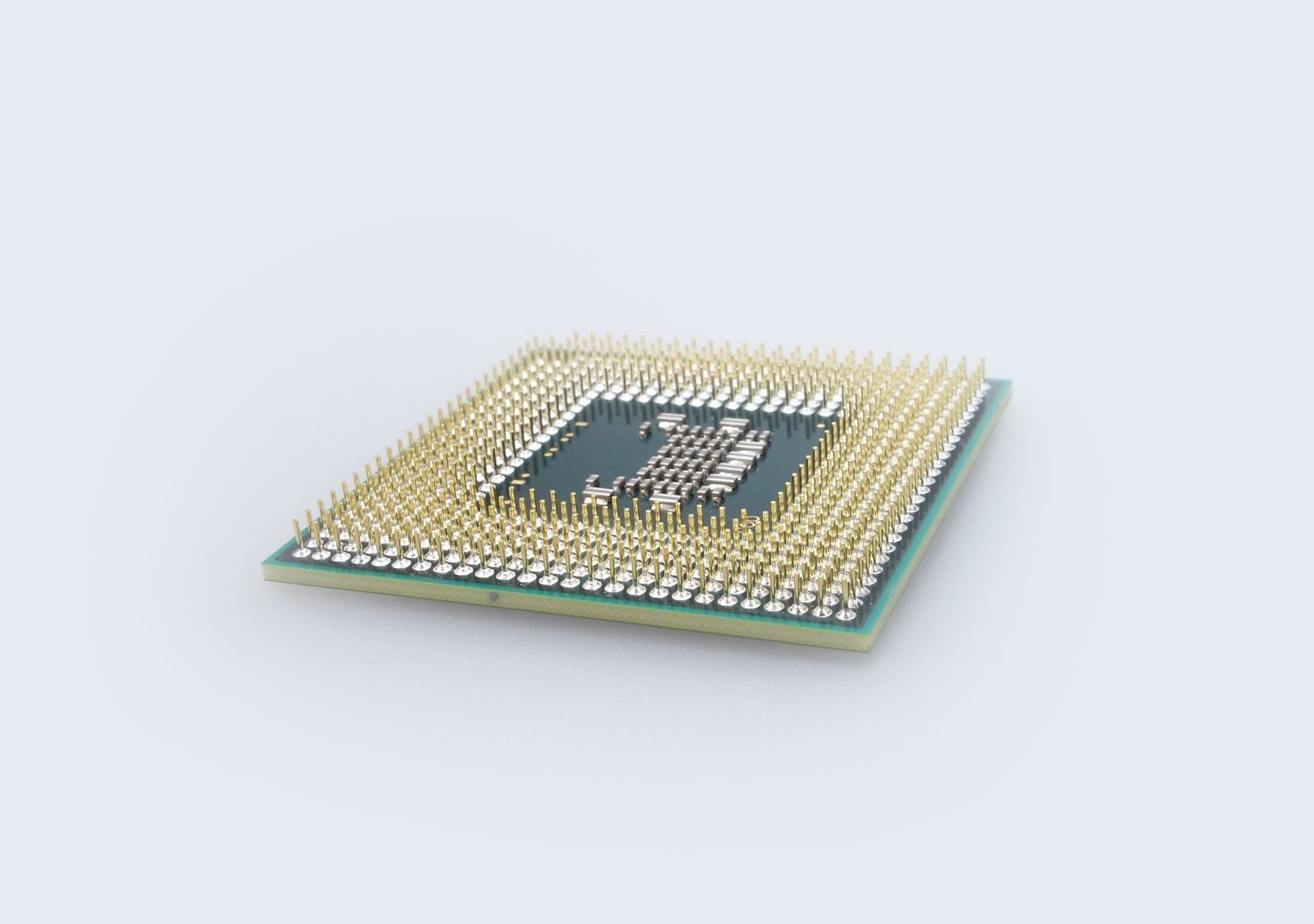
    Closeup of a CPU processor with golden pins
    Somewhere around chip number eight, the comparisons stopped mattering. Photo: Pexels

    Instead, I compared. An i5-7500 against an i7-6700T. A 6500T against a 7500T. Then the 8th-gen chips — 8500T, 8600T, 8700T. Then 9th gen, 10th gen. I learned the difference between 8-bit and 10-bit HEVC hardware decoding (it matters if you’ll run modern 4K cameras through Frigate, and not otherwise). I learned that the “T” suffix means a 35-watt low-power variant designed for exactly this kind of always-on, quiet, tucked-in-a-closet duty. I learned that hyperthreading helps if you’ll run a dozen containers and does precisely nothing if you won’t.

    Every comparison taught me something. That was the trap. Each new listing produced a little hit of “ah, now I understand this better” — even as the decision drifted further away and the actual quality difference between options shrank toward zero.

    By machine number eight, I was agonizing over chips that were all five to ten times more powerful than my workload would ever need. I was optimizing a variable that didn’t matter, with the conviction of someone who believed it did.

    The pivot that should have come first

    The most useful moment in the whole journey wasn’t a hardware comparison at all. It was finally asking the right question: what am I actually going to run on this thing?

    Two architectures were on the table:

    HAOS bare metal — install Home Assistant Operating System directly on the machine. It becomes an appliance. One job, done well, near-zero maintenance. Boring in the best way.

    Proxmox — install a hypervisor first, then run Home Assistant in a virtual machine alongside other services. Infinitely flexible, a genuine homelab, and a real time commitment to set up and maintain.

    I went back and forth, but the honest answer was: I wanted home automation to just work. I wasn’t planning a media server empire. I didn’t need to run a dozen VMs. I wanted lights, sensors, maybe some cameras later, and a system I wouldn’t have to babysit.

    That decision — HAOS bare metal — should have ended the hardware debate immediately. It meant I needed almost nothing. Any four-core machine with 16 GB of RAM and modern-ish video decoding would do, with room to spare for adding Frigate and a few cameras down the line.

    I had my answer. I kept shopping anyway.

    The modern temptation

    The deeper I went, the more I drifted from the original “boring old business PC” idea toward shiny new mini PCs. The N100 era of tiny, efficient, modern little boxes is genuinely tempting: 6-watt power draw, the latest video codecs including AV1, brand-new condition, and prices that undercut the used enterprise gear.

    I found one. An Acemagic N100 — 16 GB RAM, 512 GB SSD, dual gigabit LAN, an internal bay for adding a hard drive (the holy grail for Frigate recordings, since most mini PCs lack it), and a near-new condition. I talked the price down to 180 euros. I bought it.

    For about a day, I felt like I’d won. Modern platform, low power, more features than the old HP boxes, at a great price. The spec-sheet maximizer in me was satisfied.

    The return

    Then the other shoe dropped — and it wasn’t about specs at all.

    These ultra-cheap mini PCs almost all come from a handful of Chinese ODMs, and the category has a track record problem. One of them — Acemagic, specifically — was caught in early 2024 shipping units with malware pre-installed in the Windows image. The company owned up to it and patched their process, and there’s been no repeat since. Technically, since I was going to wipe Windows and install HAOS anyway, the original image was irrelevant. I’d never run their Windows.

    But the more I sat with it, the more it bothered me. This was going to be the machine at the center of my home — connected to my network, watching my sensors, eventually handling cameras. A device whose entire job is to be trusted, sitting on my LAN 24/7, for years. “The pre-installed malware doesn’t matter because I’m wiping it” is true at the OS level, but it didn’t answer the deeper unease: do I trust the supply chain of the thing I’m putting at the heart of my home?

    Firmware-level concerns don’t get wiped by reinstalling the operating system. And the whole point of a home automation hub — especially one that might one day see camera feeds — is that it should be the last device on your network you have to worry about eavesdropping on you.

    So I returned it.

    Trust over specs

    I went back to the boring choice. A used HP EliteDesk 800 G4 Desktop Mini — Intel i5-8600T, six cores, 16 GB of RAM, 256 GB SSD, condition “Sehr Gut.” 236 euros. More expensive than the Acemagic. Slightly older. Higher power draw. On a pure spec-sheet, a worse deal.

    On the metric I’d finally decided actually mattered — trust — it was the clear winner.

    This is enterprise hardware from a vendor with a thirty-year track record, built to sit in corporate environments where security and supply-chain integrity are contractual obligations, not afterthoughts. HP publishes BIOS updates for these machines years into their life. The first thing I did when it arrived was flash the latest firmware (February 2026) — closing known vulnerabilities, starting from a clean, vendor-signed baseline.

    A six-core business PC running current firmware from a major manufacturer, with HAOS bare metal on top, is about as boring and trustworthy a foundation as you can build a smart home on. And boring and trustworthy, it turns out, is exactly what I wanted all along. I just took the scenic route to figure it out.

    What I’d tell my past self

    Three things, if I could go back to that first innocent question:

    Decide what you’re running before you compare hardware. The “HAOS bare metal vs. Proxmox” question determines everything downstream. I had it backwards — I compared chips for weeks before settling the architecture that made 90% of those comparisons irrelevant.

    Set your stopping criteria up front. “I’ll buy the first machine with ≥4 cores, 16 GB RAM, an internal drive bay, under €250, from a vendor I trust.” Any of several machines would have triggered an instant purchase, and I’d have stopped at the first match instead of touring the entire used-PC market. This turns you from an exhausting maximizer into a satisficer with high standards — same decision quality, a fraction of the agony.

    For the device at the center of your home, trust is a spec. It doesn’t show up on the comparison table next to clock speed and core count, but it should. The cheapest box with the best numbers is not the best choice if you can’t trust what’s underneath the operating system. A slightly slower, slightly pricier machine from a vendor with real accountability and firmware support can be the smarter buy — especially for something that lives on your network, watches your home, and runs for years.

    I spent weeks and circled back to almost exactly where I started — a used HP business PC at a sensible price. But I didn’t end up in the same place I’d have landed on day one. I ended up there knowing why, having ruled out the alternatives myself, and having reframed the entire decision around the thing that actually mattered.

    The journey was longer than the decision required. But the destination is one I’ll trust for years. And honestly? I enjoyed the hike.

    Now, if you’ll excuse me — I have a house to make smart.