Category: News

  • Matter Finally Has Cameras — and for Once, Local Video Is Part of the Spec

    Matter Finally Has Cameras — and for Once, Local Video Is Part of the Spec

    For as long as I’ve run a local-first home, cameras have been the one category I kept at arm’s length. Everything else in my setup — lights, plugs, sensors, the whole Home Assistant OS box humming away on a used HP EliteDesk — talks locally and answers to nobody’s cloud. Cameras were the exception. Buy almost any consumer model and you’re really buying a subscription, a phone app, and a promise that someone else’s server will keep your living room to itself. So I mostly did without, and made do with a couple of RTSP cameras flashed into submission.

    That’s why the news out of the Connectivity Standards Alliance actually made me sit up. Matter 1.5 adds cameras to the standard — and, unusually for this industry, local access is written into the specification itself, not bolted on as an afterthought. Pair that with the fact that Home Assistant just rebuilt its entire Matter engine, and for the first time I’m genuinely curious about where this goes.

    What Matter 1.5 actually added

    Matter 1.5 was published by the CSA on 20 November 2025, and it’s the biggest functional expansion the standard has seen in a while. Four things landed at once: cameras, a unified model for “closures” (blinds, shades, awnings, gates, garage doors), soil sensors for irrigation, and a serious round of energy-management additions including standardized tariff data and bi-directional EV charging.

    Cameras are the headline, and the detail that matters to me is how they work. Matter cameras stream video and audio over WebRTC — the same peer-to-peer technology your browser uses for video calls — with two-way audio and both local and remote access via standard STUN and TURN. The spec also covers multi-stream setups, pan-tilt-zoom, detection and privacy zones, and flexible storage: continuous or event-based recording, to local storage or the cloud, the manufacturer’s choice. To move all that data around, 1.5 also added full TCP transport for large messages, which is what makes image-heavy device types like cameras practical in the first place.

    Read that carefully and you’ll notice what’s missing: a mandatory cloud. The standard defines local access as a first-class path. That doesn’t force any given vendor to give you cloud-free operation — a manufacturer can still build a camera that phones home for everything — but for the first time the plumbing for a local-only camera is part of the certified standard rather than something you have to reverse-engineer. That’s a meaningfully different starting point.

    Cluster of outdoor security cameras against a blue sky
    The category I’ve avoided the longest. Matter 1.5 finally makes a cloud-free path part of the spec. Photo: Sean MacEntee, CC BY 2.0, via Flickr.

    Home Assistant rebuilt its Matter engine at the same time

    Timing is everything, and the second half of this story is that Home Assistant didn’t stand still. In late June the team shipped a from-scratch rebuild of the Open Home Foundation Matter Server, moving it off the Python-and-C++ SDK foundation and onto matter.js, an open-source TypeScript implementation of the standard. It arrives as “Matter Server app 9.0,” a drop-in replacement that migrates your data on first start and otherwise behaves like the old one.

    The practical wins are the boring, important kind: faster start-up and recovery, quicker device reconnection, more reliable over-the-air updates, and tighter commissioning security — uncertified devices carrying only a development/test certificate can no longer be added out of the box, and the server now checks certificate revocation data when you pair something new. Crucially, this new server brings Home Assistant up to the Matter 1.5.1 specification, with 1.6 already in the pipeline. In other words, the software side is finally ready for the device types 1.5 introduced.

    The feature I didn’t expect to care about is the new network visualization in the Matter Server’s web UI. It maps every commissioned device as a node — a crown for the Thread leader, arrows for routers, markers for sleepy end devices — and colours the links by connection quality, green through red. If you’ve ever tried to debug a Thread mesh by squinting at logs and guessing which sensor is routing through which, this is the tool you wanted. For someone like me who runs everything locally and has nobody’s support line to call, having the network actually drawn is worth more than another dashboard card.

    Why a local-first house should care

    Here’s the honest part: none of this changes my setup today. I can’t walk into Digitec next week and buy a Matter 1.5 camera — the spec shipped in November, Home Assistant’s support landed in June, and certified hardware always trails the standard by many months. Matter now runs in roughly 38% of Home Assistant installs, so the demand is clearly there, but cameras specifically are still early. Anyone promising you a shelf full of Matter cameras right now is selling optimism.

    What it changes is the direction of travel. For years the smart-camera market has been a walled-garden business: the hardware is a loss leader for a subscription, and “local recording” is a feature they grudgingly allow rather than a default. A certified standard that treats local WebRTC streaming as normal is exactly the kind of lever that shifts defaults over time. It’s the same pattern I watched play out with plugs and relays — once the local path is standard, the cloud-only products start to look like the odd ones out.

    I’m also keeping my expectations calibrated. WebRTC being in the spec doesn’t guarantee a given camera exposes a clean local RTSP or recording path the way my current cameras do; vendors will still differentiate on their apps and services, and some will make the local experience deliberately thin. Storage is “manufacturer’s choice,” which is exactly where the cloud tends to sneak back in. So I’ll judge the first wave of Matter cameras the way I judge everything else here — by what they do when the internet is unplugged, not by what the box promises.

    What I’m actually going to do

    For now, nothing dramatic — and that’s the point of running things locally. My existing cameras keep working regardless of what the standards bodies do. But I did update the Matter Server app on the EliteDesk to 9.0, mostly for the reconnection speed and that Thread mesh view, and it migrated cleanly with no drama. When the first genuinely local-friendly Matter camera shows up at a Swiss retailer, I’ll buy one, plug it in, cut its internet access at the router, and see what survives. If it keeps streaming to Home Assistant with the WAN pulled, it earns a place on the wall. If it doesn’t, it goes back in the box and I’ll tell you why here.

    That’s the whole test, really. Matter 1.5 finally gave the industry a standard way to build a camera that respects your network. Whether manufacturers actually take that path is the story worth watching over the rest of 2026 — and it’s one I’ll be documenting from the one house I can vouch for.

  • Home Assistant 2026.7 Is Here: The Automation Editor Finally Speaks Human

    Home Assistant 2026.7 Is Here: The Automation Editor Finally Speaks Human

    Home Assistant 2026.7 landed yesterday, July 1, and I did what I always do on release day: read the notes twice, made a backup, and updated my box before breakfast. I run Home Assistant OS bare-metal on a used HP EliteDesk 800 G4 mini PC, no cloud in the loop, so a monthly core update is the one moment my otherwise boring, predictable house gets to change its mind about how it works. Most releases I skim. This one I actually stopped and read, because the headline change is something the team has been slowly building toward for eight months, and it finally shipped to everyone.

    The short version: automations no longer make you think like the machine first. That sounds like marketing until you have lived with the old way long enough to feel the difference. So rather than reprint the changelog, here are the parts of 2026.7 that actually matter from inside a local-first home, and the one reason I still didn’t rush every machine in the house onto it.

    The automation editor finally speaks human

    Purpose-specific triggers and conditions have graduated out of Labs and are now the default for everyone. If you have ever built an automation the old way, you know the wall: which entity, which state, does it become on or detected or home, do I need a state trigger or a numeric state trigger or a device trigger? None of those questions have anything to do with what you actually want. They are the tax you pay for the engine’s internals leaking into your face.

    The new triggers describe the moment instead of the mechanism. “When the bedroom drops below 18 °C, turn on the heating.” You pick Temperature crossed threshold and say what matters, without knowing whether the sensor reports in a percentage or a unit or an attribute buried three levels down. Battery low is another good one: it no longer cares how a given device reports its battery, it just fires when a battery is low. And because the building blocks are organized around areas rather than one device at a time, an automation like “when motion is detected in the office” scales without you hand-wiring every sensor.

    Two things reassured me before I touched it. First, nothing breaks: every existing automation I have keeps working untouched, because this is a new starting point in the editor, not a migration. Second, YAML did not get abandoned. Home Assistant’s own framing was blunt about it, that user experience is not a synonym for the UI, and YAML users deserve a good experience too. As someone who keeps a few gnarly automations in text because they are easier to diff and version, that mattered.

    Smart home devices and a control interface
    Fewer primitives, more intent. Photo: Pexels.

    The Activity timeline is the sleeper hit

    My surprise favorite is the rebuilt logbook, now called Activity. The old logbook was functional and forgettable. The new one reads top to bottom like a proper feed, groups entries by day, and finally looks like it belongs to the same app as everything else. That sounds cosmetic, and partly it is, but for a local-first setup where the logbook is your primary forensic tool when an automation misfires at 2 a.m., a timeline you actually want to open is worth more than it looks. I have caught myself opening it just to watch the house tick over.

    The quiet wins I’ll use more than I expected

    There is a new “update all” button, which is either a convenience or a foot-gun depending on your temperament. I like having it and I will almost never use it, for reasons I will get to. The ZHA Zigbee device management got an overhaul, which is welcome if you run Zigbee natively rather than through Zigbee2MQTT. There are now dedicated panels for infrared and radio-frequency devices, tucked into their own corner of Settings instead of scattered around. And you can now keep your Raspberry Pi firmware up to date from inside Home Assistant, which quietly closes one of those “wait, how do I even patch that” gaps that local setups tend to accumulate.

    The release also brings ten new community integrations. The one that raised an eyebrow for me is Dropbox as a backup target. I keep my backups local and off-box on my own NAS, so I won’t use it, but for people who want an off-site copy without standing up their own storage, having it as a first-class option is a reasonable, low-friction hedge against the one failure mode every home-labber underestimates: the disk under the desk dying.

    Should you update today?

    Here is the honest part. I updated one machine, my main box, the morning after release, and it went cleanly. I did not hit “update all” across everything else in the house, and I won’t for a week or two. Not because I distrust this release specifically, but because that is simply how I treat any core update: back up first, update one thing, live with it for a few days, and only then roll it wider. A monthly release cadence is a gift, but it also means a dot-zero is a dot-zero. There will be a 2026.7.1 and probably a .2, and the boring people who waited will have paid nothing for it.

    So my take: read the release notes yourself, take a backup you have actually tested restoring, and update your main instance when you have half an hour to babysit it rather than five minutes before you leave the house. The automation editor alone is worth the move, especially if you have friends or family who bounced off Home Assistant because building a simple automation felt like a coding exercise. This is the release I would finally hand them.

    Full details are in the official Home Assistant 2026.7 release notes, and the complete list of changes lives in the 2026.7 changelog. If you update, tell me in the comments what broke, or better, what didn’t.

  • Home Assistant 2026.7 Lets You Automate in Plain English — I Updated My Bare-Metal Box to See What Breaks

    Home Assistant 2026.7 Lets You Automate in Plain English — I Updated My Bare-Metal Box to See What Breaks

    Home Assistant 2026.7 landed on July 1, and for once the headline feature isn’t a shinier dashboard card or a new integration count to brag about. It’s a rewrite of how you build automations in the first place. The purpose-specific triggers and conditions that have been sitting in Settings > System > Labs since 2025.12 have graduated and are now the default for everyone. I updated my bare-metal box the morning it dropped, poked at every automation I care about, and I want to talk about what actually changed — not the marketing version.

    You now describe what you want, not how Home Assistant stores it

    Here’s the old ritual, the one that scares people off. You want the heating to kick in when the bedroom gets cold. So you open the editor and immediately have to answer a pop quiz about Home Assistant’s internals: which entity, which state, is it a state trigger or a numeric state trigger or a device trigger, does the value arrive as a percentage or a raw number, and what happens when the sensor reports unavailable at 3 a.m. If you’ve run HA for a while, that’s muscle memory. If you haven’t, it’s the wall you hit before you’ve automated a single light.

    The new building blocks speak the language of the thing you actually care about. You pick Temperature crossed threshold and say “below 18°C.” You pick Battery low and you don’t have to know whether the device reports a percentage sensor or some vendor’s idea of “low.” The moment you’d normally have to decide whether an automation should ignore unavailable, wait it out, or treat it as false — that decision is gone. As Home Assistant’s own release notes put it, there are no more “technical traps.” That phrase sounds like fluff until you remember the last time an event entity silently refused to fire the second time because its state didn’t change the way you expected.

    Automations built around areas, not one fragile entity

    This is the part I didn’t expect to like as much as I do. The new triggers and conditions support targets, so you can build an automation around “motion in the living room” instead of around one specific motion sensor. One sensor in that room, fine. Three, also fine. Swap one out next year, add the presence sensor you’ve been eyeing, or remove the one that kept triggering on the cat — the automation keeps describing the same intent: motion in the living room.

    For someone who runs a local-first home and tends to accumulate hardware over time, this quietly removes a whole category of maintenance. I have automations that are really just lists of entity IDs I have to remember to update every time I touch a room. Those lists are exactly the fragile thing this release is trying to kill.

    A digital thermostat mounted on a wall next to a window
    “When the bedroom drops below 18°C, turn on the heating” is now a single trigger, not a numeric-state puzzle. Photo: Pexels.

    The genuinely interesting bit: integrations can teach the engine

    This is more than friendlier wording, and it’s the part that made me sit up. Integrations have long been able to add their own actions. Now they can add their own triggers and conditions too. Picture a washing machine integration offering a plain “laundry is done” trigger, with nobody having to reverse-engineer which attribute means finished. An energy integration can expose “when the price is lowest today” instead of everyone rebuilding the same template for the hundredth time.

    That turns the automation engine into something integrations can teach, and it’s where “more power, less complexity” stops being a slogan. It also, honestly, gives the AI-assisted automation crowd much cleaner material to work with — though as the HA team notes, most models are trained on the old patterns and will keep suggesting them for a while yet.

    Nothing breaks — and YAML isn’t going anywhere

    Before you open a forum thread in mild panic: your existing automations keep working. Generic triggers, conditions, templates, raw YAML — all of it still runs. The new blocks are simply the better starting point for the next automation you write. There’s no migration tax. And the team put real effort into making the new building blocks read well in YAML too, so if text is your interface, this isn’t Home Assistant walking away from you. I write a mix of both, and my old YAML automations came through the update untouched.

    The logbook grew up into a timeline

    My sleeper favorite this release is that Activity — the thing most of us still call the logbook — has been rebuilt into a proper timeline. Instead of a flat list of full sentences repeating the device name on every row, entries now sit on a vertical rail: time on the left, a state-colored dot with the entity’s icon, the text beside it, grouped by day with Today and Yesterday headers. It trims the name down to wherever you’re looking, and it finally uses the same state wording as the rest of Home Assistant instead of logbook-only verbs. It also shows the cause right next to the event — a person’s avatar, the automation that fired, the integration’s brand icon. Reading back a busy day is suddenly something I don’t dread.

    “Update all” — useful, and I’ll still be careful

    The updates page has been reorganized into cards — Home Assistant Core/OS/Supervisor at the top on their own, then grouped cards for integrations, apps (formerly add-ons), and those seven ESPHome devices that all shipped firmware in the same week. Each group gets a single Update all button. Notably, Core, OS, and Supervisor deliberately don’t get one; you apply those yourself, on purpose.

    I appreciate the design restraint there, because it matches how I already work. Regular readers know I update one Zigbee device at a time and I don’t fire off a batch upgrade the night before I’ll be away. “Update all” is a real quality-of-life win for a wall of trivial updates, but I’ll keep using it for the low-stakes cards and applying the system-level ones by hand with a backup in front of me. A one-tap convenience button doesn’t change the fact that the boring habit is what keeps a local home boringly reliable.

    A few new integrations worth a local-first glance

    Ten new community integrations shipped with 2026.7. Three caught my eye for different reasons. Chef iQ reads its wireless cooking probes over Bluetooth with no cloud account, hub, or base station — the probe simply broadcasts and HA listens passively, which is exactly the kind of thing I want more of. energieleser pulls real-time consumption from stromleser/gasleser-style meters over a local HTTP API, so the data stays on your network. And Dropbox arrives as a backup destination — genuinely handy, though worth naming honestly: it’s an off-site cloud target, so it’s a complement to a local backup, not a replacement for the local-first principle. Useful, eyes open.

    Verdict

    2026.7 is the rare release where the flagship feature earns the billing. The automation editor rewrite is roughly eight months of work finally handed over to everyone, and the “describe the outcome, target the area” model is a real reduction in the busywork of running a growing home. Add the timeline and the tidied-up updates page and this is an easy update to be enthusiastic about — carefully, with a backup, one system-level component at a time. I’ll report back once I’ve rebuilt a couple of my uglier automations the new way.

    Sources: the official Home Assistant 2026.7 release notes and the new per-block triggers and conditions documentation. Product mentions are factual; this post contains no affiliate links.

  • Home Assistant 2026.6 on Bare Metal: The New Card Picker Is Great — When the “By Card” Tab Actually Loads

    Home Assistant 2026.6 on Bare Metal: The New Card Picker Is Great — When the “By Card” Tab Actually Loads

    I run Home Assistant OS bare-metal on a used HP EliteDesk 800 G4 mini PC, no virtualisation, no cloud, and I treat every monthly release like a small weather front rolling in: usually welcome, occasionally bringing a leak I have to mop up. The June drop, Home Assistant 2026.6 “Pick a card, any card”, landed on the 3rd, and the headline feature is one I’ve quietly wanted for years. So I upgraded the morning it came out, poured a coffee, and went looking for the catch. There is one. More on that below.

    The card picker finally asks the right question

    For as long as I’ve used Home Assistant, adding a card to a dashboard meant being shown a wall of card types — entities card, glance, tile, gauge, history-graph — and being expected to already know which one I wanted before I’d even decided what I was trying to show. It’s backwards, and every beginner I’ve helped has tripped over it.

    2026.6 flips the question. Instead of “which card type?”, the new picker asks “which thing in your home do you want to show?” You browse by entity or by area, pick the thing, and Home Assistant suggests cards that actually make sense for it — each one rendered as a live preview using your data, before you commit. No more add-it, squint-at-it, delete-it, try-the-next-one. On mobile it splits into a clean two-step flow: pick the entity, then pick the card. Custom cards can opt into this too; if one you’ve installed has signed up, its suggestions appear under a separate Community section. It’s the kind of change that doesn’t add a feature so much as remove a thousand tiny frustrations.

    The weather tile earns its spot on the wall

    The tile card picked up two genuinely useful weather tricks. There’s now a temperature forecast that draws a little bar chart of the coming days’ highs and lows, coloured from cool cyan up to deep red, and a precipitation forecast that shows expected rain or snow per slot. I’ve had a weather entity sitting on my hallway dashboard for ages doing nothing but printing a number; it now actually tells me whether to grab a jacket at a glance. The media player tile got some love in the same release, which I care about less, but it’s there.

    Smart home devices
    A local-first setup lives or dies on its dashboard. Photo: Jakub Zerdzicki / Pexels

    IR remotes that listen, and sirens that behave

    This is the one that made me grin. After being teased across the last couple of releases — 2026.5 was literally titled “We’re on the same frequency now” — infrared remotes can finally receive signals, not just blast them out. For a local-first setup that’s a real unlock: I can point an old physical remote at a receiver and use its button presses as automation triggers, no cloud round-trip, no vendor app. That’s exactly the kind of thing that keeps me on this platform.

    On the protocol side, Matter sirens now show up as proper siren entities you can switch on and off from automations and dashboards, and Z-Wave gained smart-lock credential management. The automation editor also got quietly smarter: live condition tests and target counts while you’re building, plus an “Add to” button on entity and device pages that spins up a new automation with that entity pre-filled as a trigger, condition, or action. Small things, but they shave minutes off every automation I write.

    The honest part: my “By Card” tab came up empty

    Here’s the leak. The shiny new picker has a “By Entity” tab and a “By Card” tab, and for a chunk of us the By Card tab loaded completely blank — no cards listed at all — and, more annoyingly, pasting a card I’d copied to the clipboard stopped working. I’m not the only one; there’s an active community thread reporting exactly this, “Since 2026.6 By Card Picker empty and paste function broken.” The By Entity flow worked perfectly for me, so it didn’t block anything, but if you lean on copy-paste to clone cards between dashboards — I do, constantly — it’s a real papercut.

    For what it’s worth, clearing the browser cache and doing a hard reload sorted the empty tab on one of my machines but not the other, which points at a frontend issue rather than anything in my config. I’d expect a point release to clean it up. This is also the reason I never upgrade a production instance blind: I keep a full snapshot from before the update so rolling back is a two-minute job, not a panic. If you haven’t built that habit yet, build it before you touch 2026.6.

    Should you upgrade?

    Yes — but on your terms. The card picker alone makes dashboard work meaningfully nicer, the weather tiles are a quiet delight, and IR receive is a proper local-first win. None of it is essential, none of it breaks your existing dashboards, and the one rough edge has a workaround and a fix surely on the way. Take a snapshot, read the full changelog for breaking changes that touch your specific integrations, and then enjoy it. That’s the whole local-first bargain: you own the timing, you own the rollback, and nobody pushes anything to your house that you didn’t choose.

    I’ll report back if 2026.6.x changes anything worth knowing. For now it’s running happily on the EliteDesk, fan barely audible, doing exactly what I asked of it.

  • Matter Finally Standardized Cameras. Why My Frigate Box Isn’t Going Anywhere — Yet.

    Matter Finally Standardized Cameras. Why My Frigate Box Isn’t Going Anywhere — Yet.

    For years, cameras have been the one corner of my house that refused to play along with the local-first rule I hold everything else to. Lights, sensors, locks, climate — all of it runs through Home Assistant on a mini PC in my hallway, nothing phoning home. But cameras? Cameras have been the holdout: the category where “smart” almost always meant a monthly subscription, an app you can’t avoid, and your footage sitting on someone else’s server. So when the Connectivity Standards Alliance finalized Matter 1.5 with cameras baked into the spec, I paid attention. Then I looked at what I could actually do with it today, and quietly went back to my Frigate box.

    Here’s the honest version of where Matter cameras stand in mid-2026, why the idea genuinely excites me, and why I’m not changing a single line of my setup because of it — yet.

    What Matter 1.5 actually added

    Matter 1.5 was released by the CSA on November 20, 2025. The headline feature is cameras — three device types, to be precise: standalone security cameras (indoor and outdoor), video doorbells, and intercoms. The spec defines how the boring-but-essential stuff gets exposed to any Matter controller: live video, motion events, person and package detection, and two-way audio. There’s more in the release — unified “closures” (think garage doors, blinds, gates), soil moisture sensors, and a meaningful expansion of energy and EV-charging data — but cameras are the part that matters most to people like me.

    Why? Because the whole point of the camera work is that it’s designed to run over your local network. The video is meant to be exposed to controllers on the LAN, not routed through a vendor cloud as a precondition for working at all. If you’ve spent any time being annoyed that your doorbell needs an internet connection to show you who’s at the door, you understand immediately why a local-by-design camera standard is a big deal.

    Why cameras are the hill worth taking

    I don’t want to be dramatic about this, but cameras are the smart-home category with the worst track record on ownership. The big cloud platforms have trained an entire generation of buyers to accept that the footage from a camera you bought, mounted on a house you own, isn’t really yours. It lives on corporate servers, it’s gated behind a subscription, and — as has been documented repeatedly — it can be handed to third parties under arrangements you never opted into. Every other part of my house I can run without an account. Cameras were the exception, and not by accident.

    So a standard that says “a camera is just another local device your hub can talk to” is, in principle, the thing I’ve wanted for years. No per-vendor app. No separate API for every brand. No subscription as the price of seeing your own front step. That’s the promise. The reality, as usual, is lagging behind the press release.

    A white dome surveillance camera mounted indoors
    A standard is not the same as a shipping product. Photo: Lukasz Klimkiewicz / Pexels.

    What you can actually buy and use today

    This is where my enthusiasm met a wall. As of mid-June 2026, exactly one major platform has shipping support for Matter cameras: SmartThings. Samsung announced in December 2025 that SmartThings was the first platform to support Matter 1.5, with cameras from partners like Aqara, Eve, and XThings rolling out from around March 2026. Apple, Google, and Amazon have all said the right things about adding Matter 1.5 controller support to their hubs, but at the time of writing they hadn’t flipped the switch.

    And Home Assistant? Not yet. The team has been candid that HA doesn’t support the Matter camera device type today, because the underlying plumbing — two-way audio, for one — isn’t all there. The device type is on the roadmap, which I believe, but a roadmap is not a release. For now, if you point a Matter camera at Home Assistant, the realistic path is the same fallback we’ve always had: pull the RTSP stream directly and treat it like any other network camera.

    That gap is the whole story. The standard exists. The first cameras exist. But the controller I actually run can’t speak the new language yet, so from where I sit, Matter cameras are a thing I can read about, not a thing I can deploy.

    So I’m staying on Frigate

    My current camera setup is boring in exactly the way I like. Cheap RTSP cameras feed Frigate, the open-source NVR, which runs locally and does its own object detection on my hardware. It doesn’t just see “motion” — it sees a person, a car, a parcel — and it does all of that without a single frame leaving the house. Recordings stay on a local disk. There’s no subscription, and the only cloud involved is the one I choose to expose, on my terms, through my own remote access.

    That setup already delivers what Matter cameras are promising: local video, local detection, no vendor lock-in. The difference is that it works now, it’s well understood, and it’s been documented by a large community for years. Matter cameras might eventually make the front end of this nicer — easier pairing, less fiddling with stream URLs, true plug-and-play across brands — but they don’t yet offer a single capability my current rig lacks. Ripping out something that works to chase a standard that my hub can’t use would be the opposite of local-first discipline.

    The caveat nobody puts on the box

    One more thing worth saying plainly, because the marketing won’t: “Matter camera” on a label does not automatically mean “no app, no account, fully local.” Matter defines how a camera can be controlled locally, but a manufacturer is still free to bolt its own cloud features, app, and account on top. The standard opens the door; it doesn’t force anyone through it. So when these cameras land in stores in volume, I’ll be reading the fine print on each model rather than trusting the logo — the same skepticism I’d apply to anything that claims to be private.

    That’s not cynicism, it’s pattern recognition. We’ve watched “works with Matter” mean very different things on different products over the last couple of years. Cameras are higher-stakes than a light bulb, and I’d rather be pleasantly surprised than burned.

    Where this leaves me

    I’m genuinely optimistic about Matter cameras — more than I’ve been about most of the standard’s expansions, honestly, because they target the one area where the status quo has been worst for owners. A future where a camera is just a local device my hub discovers, with no subscription and no app, is a future I want. But optimism about the direction and patience about the timeline are not in conflict. The standard is real, the first hardware is real, and Home Assistant support is coming. None of that is here for me today.

    So the plan is the unglamorous one: keep the Frigate box running, watch the Home Assistant release notes for camera support to land properly, and revisit this when there’s an actual Matter camera I can pair to my own hub and confirm — with a network capture, not a marketing claim — that nothing’s leaving the house. When that day comes, I’ll document it honestly. Until then, the holdout corner of my house stays exactly as local as the rest of it.

  • Home Assistant 2026.6: The Card Picker Finally Speaks Human (and Other Things I Actually Noticed)

    Home Assistant 2026.6: The Card Picker Finally Speaks Human (and Other Things I Actually Noticed)

    Home Assistant 2026.6 dropped on June 3rd, and I updated my EliteDesk over the weekend after the usual ritual: read the breaking changes twice, check that last night’s backup actually exists, hold my breath for ninety seconds. The release is nicknamed “Pick a card, any card”, and for once the headline feature is the one I’d actually point a newcomer at. But there are a few quieter changes buried further down the release notes that matter more for a local-first setup like mine. Here’s what I found.

    The card picker finally starts from your home, not from jargon

    If you’ve ever sat someone in front of the dashboard editor and watched their face when the old card dialog opened — tile, glance, gauge, markdown — you know exactly why this change exists. Those are internal building-block names. Nobody opens the editor thinking “I need a glance card.” They think “I want the living room light on this page.”

    The new dialog opens on a By entity tab: a tree of your floors, areas, devices, and entities on the left, and live previews of cards that actually fit the entity you picked on the right. Choose a light and you get a plain tile, one with a brightness slider, a toggle, color temperature. Choose a temperature sensor and you get a trend-graph tile. Every suggestion renders with your real data before you commit, which kills the old add-it-look-at-it-delete-it loop entirely.

    I rebuilt part of my hallway dashboard with it as a test. It’s faster, but the bigger win is that I can now hand the editor to my wife without a twenty-minute vocabulary lesson first. The Home Assistant team says this is the first step of a broader roadmap effort to make dashboards start from what you want to control. Good. That’s the right direction.

    Infrared now listens, and ESPHome is the first ear

    Two releases ago, infrared became a first-class platform in Home Assistant — but only one-way. HA could blast commands at your TV or air conditioner, but if someone used the original remote, Home Assistant was left holding stale state. 2026.6 closes the loop: the Infrared platform gains a receiver event entity, and any ESPHome device with an IR receiver wired up can now report what it hears as events you can automate on.

    This is the kind of feature that sounds niche until you live with it. Stale state is the silent killer of trust in a smart home — the dashboard says the TV is off, the TV is very much on, and the family stops believing the dashboard. Listening to the original remote fixes that without forcing anyone to change habits. It also means a spare IR remote in a drawer can become a cheap, battery-sipping, fully local controller. I have an ESP32 with an IR receiver on my bench already; this just moved up my project list.

    The automation editor grew up a little

    Three small things landed in the automation editor that together remove a lot of low-grade friction. First, every floor, area, device, and label target now shows how many entities it expands to — so “Bedrooms” reads as “Bedrooms · 12” and you know before saving whether your automation hits twelve lights or thirty. Second, condition rows now show a live pass/fail badge that updates in real time as your home changes. Debugging “why didn’t this fire” used to mean digging through traces; now the failing condition literally has a red dot on it while you edit. Third, every step can carry a proper notes field, separate from its name. Future-me, who will absolutely not remember why there’s a four-second delay on the porch sensor in winter, thanks present-me already.

    None of these are flashy. All of them are the difference between an editor you fight and an editor that helps. The zone-based triggers and conditions in Labs also keep maturing, if you’ve opted into that preview.

    The quiet wins for a local-first house

    The changes I care most about are further down the release notes. Bluetooth scanning now defaults to a new Auto mode — active scanning only when an integration actually needs it, on one scanner at a time, instead of every proxy constantly waking up your battery-powered sensors. Home Assistant claims around 95% less battery drain from Bluetooth scanning. If that holds up, it’s the single most valuable line in this release for anyone running a fleet of coin-cell sensors. I’ll be watching my battery graphs over the next month and will report back honestly.

    Z-Wave smart locks got credential management — add, edit, and remove users and PIN codes from a dialog in Home Assistant, with everything happening directly between HA and the lock. No cloud account, no vendor app, no internet required. Matter locks got this two releases ago; Z-Wave catching up matters because Z-Wave locks are still the sensible choice in much of Europe. You can even hand out a one-time guest PIN from an automation. That’s the local-first promise actually delivered, not just marketed.

    Smaller notes from my own shopping list: the Shelly integration now exposes an occupancy binary sensor, OpenThread Border Router 1.4 is out of beta with a built-in mDNS implementation that should calm a class of stubborn Thread connectivity gremlins, and Matter device setup now asks you to name the device and assign an area immediately — a tiny change that will save every household one confused “which ‘Contact Sensor 3’ is this” moment.

    Advanced mode is gone, and I think that’s right

    2026.6 removes the “Advanced mode” toggle from user profiles entirely. Everything that used to hide behind it is simply available to everyone now. Some long-time users will grumble. I won’t. The toggle always carried a quiet insult — the suggestion that parts of your own home automation system were above your pay grade. A wall of hidden features never made anyone an advanced user; using the features did. The YAML editors even got inline linting this release, which says it plainly: you don’t have to write YAML, but if you do, the UI will help rather than gatekeep.

    Should you update?

    Yes, with the usual discipline. The first patch release, 2026.6.1, already landed on June 5th with a batch of fixes, so you’re not even taking the .0 risk anymore. Read the backward-incompatible changes — if you’ve been using the Labs purpose-specific triggers, the behavior options were renamed (any is now each, last is now all) and your YAML needs updating. And while you’re in the backup settings, do what the redesigned page now nags you to do: save your backup encryption key somewhere that isn’t inside the thing being backed up. A backup you can’t decrypt is a very well-organized way of having no backup at all.

    My install went through clean: Zigbee2MQTT untouched, automations intact, one dashboard happily rebuilt with the new picker. That’s two smooth upgrades in a row on the EliteDesk, which I’m choosing to interpret as the universe rewarding boring, well-supported hardware.

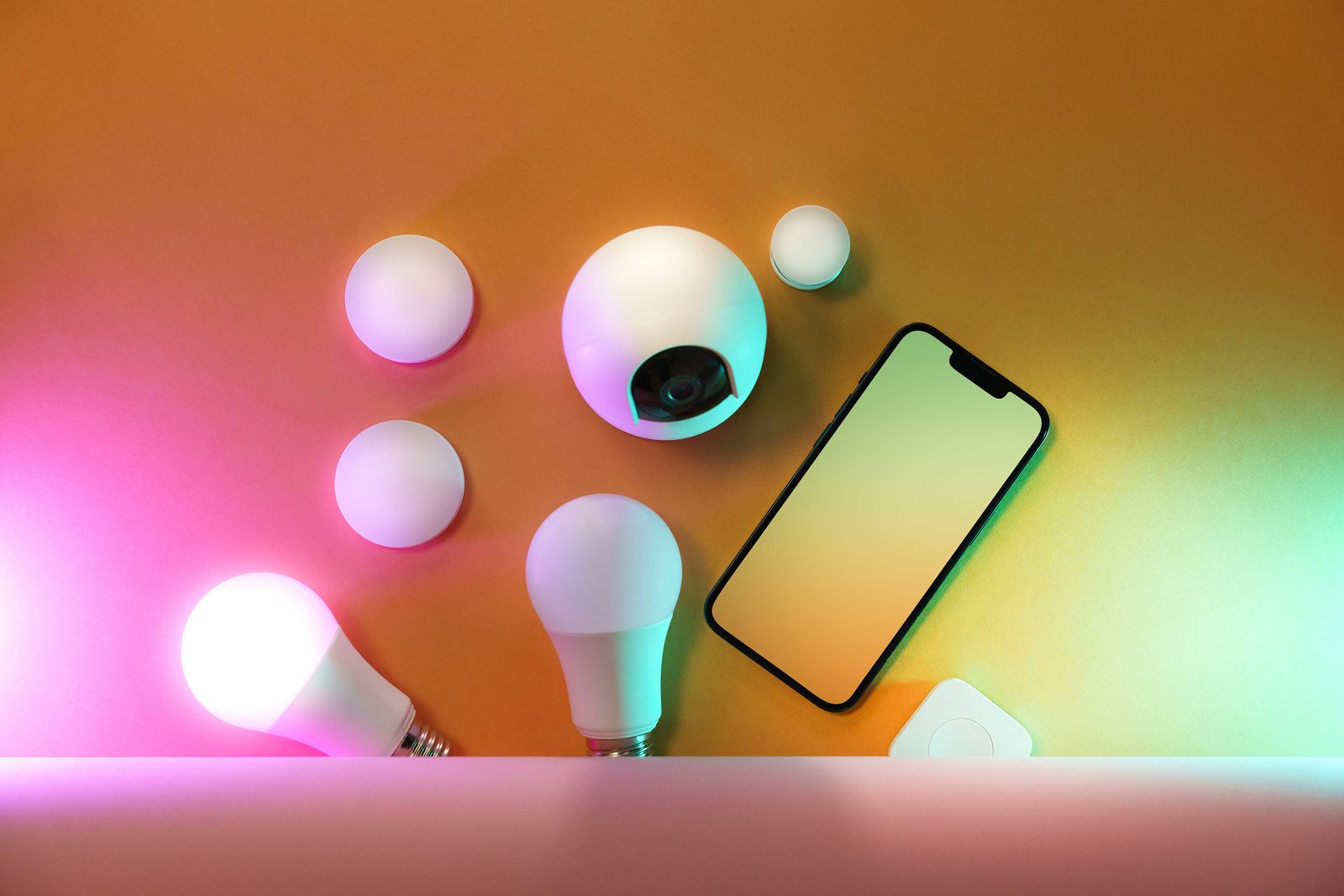
    A collection of smart home devices laid out on a table
    The growing pile every Home Assistant household knows. Photo: Pexels

    Full details in the official 2026.6 release post. If you find something in this release that breaks — or quietly improves — your setup, the comments are open. I read all of them.