Category: News

  • 8,616 People Described Their Smart Homes. Then the Foundation Published the Raw Answers.

    8,616 People Described Their Smart Homes. Then the Foundation Published the Raw Answers.

    In December 2024 I sat down with a coffee and spent twenty minutes answering questions about my house. How I got into this. What I own. Who else lives with the automations I write at eleven at night. Whether privacy, choice and sustainability actually matter to me, or whether I just say they do in forum threads.

    Then I forgot about it completely, the way you forget about every survey you have ever filled in.

    On 26 August the Open Home Foundation published the answers. Not a tidy infographic with four friendly bar charts, either — the anonymised dataset itself, 8,616 responses, free for anyone to download and take apart. I did not expect that. And the longer I sit with it, the more I think the act of releasing it matters more than anything inside it.

    What they actually asked

    The 2024 community survey opened on 16 December 2024 and closed on 20 January 2025. It was long — the team said to set aside about twenty minutes, and that was honest rather than optimistic. Every question was optional, responses were anonymous, and there was a partial submit point halfway through so that people who ran out of patience still counted for something.

    What surprised me at the time was how far past “which integrations do you use” it went. Household composition. Professional background. Neurodiversity. How you personally weigh the Open Home values, not how you would rank them if someone was watching. Annika Schulz, the Foundation’s UX researcher, explained the point plainly when the survey launched: rather than keep assuming what the community wants, the team would “rather base our decisions on data-driven insights”.

    That is a normal thing for a company to say. It is a less normal thing for a company to then prove eighteen months later by publishing the file.

    I am, embarrassingly, the average respondent

    The headline picture the Foundation draws from the responses: a large majority describe themselves as tech-curious, most have been running Home Assistant for three years or more, households average 2.8 people, and device counts cluster somewhere between eleven and a hundred.

    I read that and felt slightly exposed. Three-plus years in: yes. Device count comfortably inside that band: yes. Tech-curious rather than professionally technical: also yes — I run Home Assistant OS bare-metal on a second-hand HP EliteDesk 800 G4 not because I am a sysadmin, but because I got annoyed enough at cloud outages to read the docs properly.

    People reviewing printed survey results together at a table
    Eight thousand six hundred and sixteen people described their homes. Photo: Pexels.

    There is something genuinely useful in landing in the middle of a distribution, though, and it is not flattering self-recognition. It is that sitting at the centre tells you exactly what the distribution cannot see.

    The release is the actual story

    Almost every company that runs a user survey publishes a short post with a few cheerful percentages and keeps the rest. The raw responses become internal ammunition — useful for winning roadmap arguments, never useful to you. The dataset is the asset, so the dataset stays in the building.

    The Open Home Foundation gave it away, and this is not a one-off gesture. In July they moved their web analytics to self-hosted Plausible and put the dashboard in public, so anyone can see the traffic numbers for home-assistant.io. A week before that, the community device database went into public preview, built from voluntarily shared, anonymised device data rather than scraped telemetry.

    Three moves in about five weeks, all pointing the same direction: the organisation applying its own privacy argument to itself, in the one situation where it would benefit from not doing so. That is rarer than it sounds. Selling local-first to other people is easy. Accepting the same constraints when you are the one who would profit from the data is the part most companies quietly skip.

    What 8,616 people cannot tell you

    Here is the caveat I would want printed on the front of the file. The survey lived on the Home Assistant blog and the project’s social accounts. To answer it, you had to already be reading the blog, already be following the project, and already care enough to give up twenty minutes of an evening.

    Home Assistant passed two million homes in 2025. Against that, 8,616 responses is a fraction of a percent — and specifically the most engaged fraction. Everyone who installed Home Assistant, hit a Zigbee pairing wall in week two, and quietly went back to the vendor app is not in this dataset. Neither is the partner who lives with your automations, resents the motion-triggered hallway light, and has never opened the dashboard.

    That is not a flaw anyone can fix. A voluntary, anonymous survey is structurally incapable of reaching the people who left. But it does mean the file describes the community that stayed, and those two things are not the same population — which matters, because the people who left are exactly who the “approachable by design” direction of 2026.8 is aimed at.

    What I would like someone to do with it

    Since the data is open, the interesting work is now everyone else’s. The cross-tabs I would run first: how stated commitment to the Open Home values tracks against device count, because I suspect the relationship is weaker than the community assumes. How many households have a second person who touches the system at all. And whether professional background predicts anything about which integrations people abandon.

    None of that requires permission or an NDA. It requires a download and an afternoon. If a second wave ever runs, year-over-year comparison becomes possible too, and that is where a survey like this stops being a snapshot and starts being a trend line.

    I filled in a form eighteen months ago and forgot about it. What came back was not a marketing post telling me who I am — it was a file I can check for myself. In a smart-home industry that treats user data as an asset to be held, being handed your own answers back, anonymised and open to everyone, is a small thing that says a great deal about who is running the project.

  • Somebody Finally Made Firmware Updates Boring. It Wasn’t Home Assistant.

    Somebody Finally Made Firmware Updates Boring. It Wasn’t Home Assistant.

    There is a drawer in my hallway cabinet that I think of as the museum of firmware I have never touched. A motion sensor from 2021. Two smart plugs that came in a three-pack. A door contact that has reported the same battery percentage for eight months. Every one of them is running whatever software shipped on it, because updating them was never quite annoying enough to fix and never quite easy enough to just do.

    So when Homey announced on 27 August that its app can now push over-the-air firmware updates to Matter, Zigbee and Z-Wave devices from one screen, my first reaction was not “nice feature”. It was mild irritation that a closed-ish commercial hub got there before the platform I actually run.

    What Homey actually shipped

    The feature is called Device Updates, and it landed in Homey app version 9.10.0 for Homey Cloud, Homey Pro (2023–2026), Homey Pro mini and the Homey Self-Hosted Server. You open Settings, tap Device Updates, and you get a list of pending firmware for the things in your house. Matter devices pull their images through the Connectivity Standards Alliance’s Distributed Compliance Ledger; Zigbee and Z-Wave devices get theirs through the manufacturer’s app inside Homey. Athom lists IKEA, Aeotec, Zooz, frient and ThirdReality as brands already covered, with more promised.

    Athom’s CEO put the reasoning plainly in Android Authority’s write-up: device firmware rarely gets updated because the process is cumbersome. That is not a marketing insight. That is just true, and it is true in my house.

    Home Assistant is not missing this. It is uneven.

    Before anyone writes an angry comment: Home Assistant can update device firmware, and has been able to for years. The problem is that “can” means something different for every radio in the box.

    Z-Wave is the most mature. Z-Wave JS exposed firmware updates in the UI back in the 2022.7 era. Devices that implement the Firmware Update Metadata command class can show up under Settings → Updates and be updated semi-automatically; everything else needs you to find the vendor’s file, upload it by hand, and not touch anything for a while.

    Zigbee has quietly improved. ZHA now ships with an official, centrally maintained OTA image index rather than expecting you to hand-curate a firmware directory in configuration.yaml like it’s 2019. Zigbee2MQTT has had per-device OTA for ages. Both work. Both are also mesh operations that take roughly ten minutes per device and fail cheerfully if the device sits on a weak link — which, in my experience, is exactly where the interesting old devices live.

    Matter is the one that should be simplest and isn’t. Home Assistant creates an update entity for every Matter device and pulls images from the same DCL that Homey is using. But OTA is an optional feature in the Matter spec, so plenty of devices simply don’t implement it, and updates are not supported at all if your Thread border router is an Apple device. There are also open reports of the newer matter.js-based server downloading an update successfully while the update entity sits there reporting nothing available.

    A hand holding a phone next to a smart camera, plug, bulb and sensors
    One app for all the firmware is a genuinely nice idea. Photo via Pexels.

    So the honest summary is: Home Assistant has three good firmware update mechanisms and no single place that says “here is everything in your house that is behind, and here is what changed.” Homey has one place. That is the whole difference, and it is a bigger difference than it sounds.

    Why nobody wants to build this

    Firmware distribution is the least glamorous problem in this hobby. There is no demo. There is no screenshot that makes anyone say “oh, nice.” What there is, instead, is a long tail of vendors publishing images in a hundred inconsistent places, half of them behind a phone app, some of them behind a Windows-only flashing tool, and a few of them nowhere at all.

    And the failure mode is physical. A bad Home Assistant update is a restore from backup — I wiped my box on purpose earlier this month specifically to prove that. A bad firmware flash on an in-wall relay is a screwdriver, a circuit breaker, and an evening. That asymmetry is why I click “update” on my core install without much thought and hesitate for weeks over a light switch.

    What I actually do about it

    My current rules, which are not sophisticated but have kept me out of trouble:

    • Backup first, every time, even for a battery sensor. It costs thirty seconds.
    • Read the changelog before flashing. If a vendor can’t be bothered to publish one, I can’t be bothered to install it.
    • Security fixes and named bug fixes go on. Vague “performance improvements” wait until somebody else has run them for a month.
    • One device at a time, never during the evening, never on a device I need working tomorrow morning.
    • Mains-powered Zigbee routers first. They update reliably and they make the mesh better for everything downstream.

    The one piece of Home Assistant’s design I would not trade for Homey’s button: those update entities are real entities. I can put them in a template sensor, count how many are pending, and have the dashboard tell me. A commercial hub gives you a list; Home Assistant gives you something you can automate around. That is genuinely better — for maybe five percent of people, of whom I am regrettably one.

    Credit where it’s due

    I write a lot here about preferring local, open, no-cloud plumbing, and I stand by it. But local-first shouldn’t mean pretending the closed platforms never do anything right. Homey took an open standard’s infrastructure — the CSA’s compliance ledger, which exists precisely so anyone can look up a device’s official firmware — and wrapped it in a screen that a normal person will actually open. The hard part wasn’t the protocol. The hard part was deciding that unglamorous maintenance work was worth shipping.

    Home Assistant has all the pieces for the same thing. ZHA’s image index, Z-Wave JS’s update service, the Matter update entities, and a Settings → Updates page that already aggregates core, add-ons and supervisor. What’s missing is the decision to treat “your devices are behind” as a first-class piece of information rather than something scattered across three integrations.

    In the meantime, I’m going to open that hallway drawer. If any of it still pairs, it’s getting flashed.

  • ESPHome Finally Has an Official Starter Kit. The $40 Isn’t the Interesting Part.

    ESPHome Finally Has an Official Starter Kit. The $40 Isn’t the Interesting Part.

    Today is launch day. The official ESPHome Starter Kit — built by Apollo Automation together with the Open Home Foundation — goes on sale August 12, with a launch party livestream on the ESPHome YouTube channel at 21:00 CEST tonight. It costs $40, it snaps together without a soldering iron, and the majority of the profit flows back to the foundation that funds ESPHome and Home Assistant themselves.

    I have been running ESPHome devices in this house for years, and I got into it the painful way: breadboards, jumper wires that worked until they didn’t, and a lot of squinting at pinout diagrams at midnight. So when the Home Assistant 2026.8 release notes teased this kit, I paid attention. Now that the full details are out on Apollo’s product page, I think the hardware is the least interesting thing about it. Let me explain.

    What’s actually in the box

    The kit is built around a new ESPHome C6 Board carrying an ESP32-C6-MINI-1 — more on that chip in a moment. Around it, four snap-off modules: a PIR motion sensor (the MH-SR602, rated to about 3.5 metres), an AHT20F temperature and humidity sensor (±0.3 °C, ±2% RH), a button module, and the “ESPHome Casita” — a little notification module with ten RGB LEDs and a piezo buzzer that sits on an included stand. Modules connect to the main board with FPC ribbon cables; three are in the box, and the board has two 14-pin FPC ports, so you can run two modules at once and effectively build a multisensor. Power is USB-C, with support for an optional LiPo battery.

    No soldering, no breadboards, no code. Configuration happens in the ESPHome Device Builder, the visual desktop app that ESPHome shipped earlier this year — and notably, you don’t even need a Home Assistant install to use the kit standalone. That last part is a bigger deal than it sounds. Until now, my honest advice to ESPHome-curious friends started with “well, first you set up Home Assistant…” and I’d watch their enthusiasm visibly drain.

    The funding model is the real story

    Here’s the part I keep coming back to: Apollo says the majority of profit from every kit goes directly to the Open Home Foundation, which stewards ESPHome, Home Assistant, and over 250 other open-source projects.

    Open-source smart home software has a quiet sustainability problem. We all run these projects for free, a fraction of us subscribe to Home Assistant Cloud, and the rest of the funding puzzle is grants, merch, and goodwill. Official hardware that people actually want — where buying the thing directly pays the developers of the software it runs — is a much healthier loop than a donation button. The Home Assistant Green and the Voice Preview Edition established that model; a $40 tinkering kit extends it to the entry level. I’d rather the community buys this than another anonymous ESP32 clone board from a marketplace listing that will be gone next month.

    Close-up of components on a printed circuit board
    The days of squinting at bare PCBs and pinout diagrams are optional now. Photo via Pexels.

    The C6 choice quietly matters

    Most starter-friendly ESP boards you’ll find are still ESP32-WROOM or ESP8266 era: Wi-Fi and Bluetooth, done. The ESP32-C6 in this kit does Wi-Fi, Bluetooth LE, and Thread on the same chip, and Zigbee is possible at the chip level for advanced users. That means the board you learn on today is radio-capable for the protocols the industry is actually converging on. Whether ESPHome’s Thread story becomes mainstream or stays experimental, the hardware won’t be the limiting factor — and for a learning kit that’s supposed to outlive the tutorial, that’s exactly the right call.

    An honest take on who this is for

    Let’s be clear about what $40 buys. The SR602 is a basic PIR sensor — no mmWave presence detection here. The AHT20F is a perfectly decent entry-level climate sensor, not a laboratory instrument. If you purely count sensors-per-franc, you can assemble the same functionality from bare components for maybe a third of the price, and finished Zigbee sensors from the usual suspects aren’t far off either. If you already have a drawer full of D1 Minis and a soldering station you’re not afraid of, this kit is not for you — and I think Apollo would agree.

    It’s for the person who keeps asking how to start. The one who finds breadboards intimidating, who doesn’t know which GPIO pins are safe to use, who wants the crucial early win before the frustration sets in. The modularity means nothing ends up in a drawer afterwards: the motion module becomes a real motion sensor in the hallway, the Casita becomes a doorbell-and-laundry notifier on a shelf. That “nothing goes in a drawer” philosophy is genuinely rare in learning kits, and it’s the difference between a toy and a first device.

    Getting one (and watching the launch)

    The kit sells through Apollo directly in the US, with European distributors including Domo-Supply here in Switzerland, Domadoo in France, Slim Huisje in the Netherlands, and The Pi Hut in the UK — worth checking locally before paying transatlantic shipping. At the time of writing, Apollo’s own store already shows it as sold out, which tells you something about demand. To be transparent: none of those are affiliate links, I have no relationship with Apollo, and I haven’t held the kit in my hands yet — this is a launch-day read of the published specs, not a review.

    The launch stream is tonight at 21:00 CEST on the ESPHome YouTube channel, with the Apollo team and a few familiar community faces. I’ll be watching with a beverage and, if I’m honest, a little envy for everyone getting their first taste of ESPHome the easy way. My breadboard years built character, sure. But character doesn’t blink ten RGB LEDs when the washing machine finishes.

  • The EU Just Unlocked the Chip That Listens for “Hey Google.” My Phone Might Finally Hear “Okay Nabu.”

    The EU Just Unlocked the Chip That Listens for “Hey Google.” My Phone Might Finally Hear “Okay Nabu.”

    For about a week last winter, my phone could hear me. I’d enabled wake word detection in the Home Assistant Companion app, said “Okay Nabu” at my pocket, and watched my self-hosted Assist pipeline answer without a single packet leaving my network. It felt like the finish line of the whole local-voice project. Then I looked at my battery stats, saw the microphone indicator glowing like a tiny green accusation all day, and turned it off again.

    I assumed the feature was just immature. It turns out the feature was sabotaged — not by the Home Assistant developers, but by the platform they were building on. On July 31, the Open Home Foundation published a post by Timothy Nibeaudeau, their Android developer, explaining exactly why third-party wake words on Android have always been terrible, and why that’s about to change. The European Commission, acting under the Digital Markets Act, adopted a decision on July 16 that forces Google to open eleven Android features — including always-on wake word detection — to all assistants, on equal terms, free of charge.

    This is the most consequential smart-home news of the summer, and it didn’t come from a product launch. It came from a regulator.

    Why “Okay Nabu” ate my battery and “Hey Google” didn’t

    The technical background in the OHF post is worth reading in full, but here’s the short version. Android has an elegant two-stage system for wake word detection. The first stage runs on a DSP — a dedicated low-power audio chip that most modern phones already have — inside an isolated process that’s blocked from the network and can’t extract audio until a potential wake word is detected. Only then does the second stage wake the CPU to confirm. That’s why your phone can listen for “Hey Google” all day and barely sip power.

    The catch: that DSP path was reserved for Google and device manufacturers. No public documentation, no third-party access. So the Home Assistant app had to run its microWakeWord model on the main CPU instead. The consequences were exactly what I experienced: battery drain jumping from roughly 1% to 15%, a permanently lit microphone indicator (because the app needed full mic access, with no way to offer the sandboxed, network-isolated guarantee Google gives itself), and the requirement to set Home Assistant as your default assistant — locking you out of Gemini entirely — just to keep the service alive across reboots.

    I find the privacy point the most galling. The green dot made the honest, open-source implementation look creepier than Google’s own, when the reality was inverted: Google’s version runs in a locked room the OS provides, and everyone else was forced to stand in the hallway holding an open microphone. The insecure architecture wasn’t a technical necessity. It was a policy choice by the gatekeeper.

    A smart speaker next to a smartphone on a desk
    One phone, two assistants — the setup the EU decision finally makes possible. Photo: Pexels

    What the Commission actually ordered

    The decision requires interoperability that is “equally effective” as what Google’s own assistant gets — explicitly covering ease of use, speed, and energy consumption, with complete documentation and testing tools, and no commercial agreement required. For wake words specifically: custom models with first-stage detection on the DSP, second-stage validation, and — this is the line that matters for daily life — the decision states that Google “shall not subject access to features to the app holding a default role, including the default assistant role.”

    In other words: you keep Gemini as your default assistant for whatever you use it for, and your phone also listens for “Okay Nabu” to talk to your own house. No more either/or. Concurrent wake words from multiple services are mandated too, on a longer timeline.

    Beyond voice, the eleven features include ambient sensor access, invoking assistants from the long-press gesture, structured integration with Gmail, Calendar and Maps, system-level controls, access to on-device AI models, and fair background execution rules. For a Home Assistant user, the sensor piece is quietly exciting: sound events like a smoke alarm or breaking glass as automation triggers, and controls like do-not-disturb that the companion app could act on rather than just observe.

    The timelines are long, and that’s the honest part

    Now the cold water. Google must ship these changes in Android 18, by August 1, 2027. Concurrent hotword detection — multiple assistants triggered by voice at once — gets until Android 19, no later than August 1, 2028. So nothing on my phone changes this year, and the “Hey Jarvis for the admin dashboard, Okay Nabu for the family” future the OHF sketches is realistically two-plus years out, and only on phones new enough to get those releases.

    There’s also the malicious-compliance risk, which the OHF names openly: the decision relies on Google to design the implementation, and gatekeepers have a rich history of shipping technically-compliant solutions that are unusable in practice. The counterweights are the “equally effective” standard, mandatory documentation, and monthly progress reports to the Commission. I’d rate the odds of a genuinely good implementation as decent but not certain — Google is publicly unhappy about the ruling, framing it as a security risk, while simultaneously planning a developer verification program for 2027 that would centrally gate which apps can be installed at all. The fight over who controls your pocket computer is not over.

    Why I care, sitting in Switzerland with a server in the closet

    A fair objection: I’m not in the EU, and my voice pipeline already runs locally on the EliteDesk. Why does an EU competition ruling matter to my setup? Because platform changes like this don’t get built twice. When Google is forced to open the DSP path in Android 18, that API ships worldwide — the same way USB-C didn’t stay a European charging port. Switzerland gets the benefits of the DMA the same way it gets the benefits of GDPR-hardened privacy policies: as a spillover.

    And the deeper reason: voice has been the weakest link in the local-first story. I can run Whisper and Piper on my own hardware, keep every automation offline, and still lose the last metre — the device in my pocket refuses to listen for my assistant without punishing me for it. This ruling fixes the last metre. Not with a workaround, not with a companion-app hack, but at the OS level, with the same sandboxed architecture Google always reserved for itself.

    It also validates something I believe about this hobby: the Open Home Foundation consulting for the European Commission — and the final decision describing the two-stage DSP architecture with details the OHF only learned by reading Android source code — shows that the community around a self-hosted home server is now technically credible enough to shape platform regulation. That’s a long way from flashing ESP boards in a Discord thread.

    My plan: nothing, for now. The wake word toggle in my companion app stays off, the wall-mounted Voice PE speakers keep doing the always-listening work at home, and I’ll revisit the phone in late 2027 when Android 18 betas show what Google’s compliance actually looks like. The OHF has promised to test the betas and report honestly. Based on their track record, I believe them — and I’ll be reading.

    Primary sources: the Open Home Foundation’s write-up, the European Commission’s specification decision, and Google’s response.

  • Shelly Firmware 2.0.0 Reads Like an Apology Letter. My Relays Are Getting It One at a Time.

    Shelly Firmware 2.0.0 Reads Like an Apology Letter. My Relays Are Getting It One at a Time.

    On July 13, Shelly quietly started rolling out firmware 2.0.0 for its Gen2+ devices. Not 1.8, which is what everyone was expecting after 1.7.5 — a full major version jump, delivered in phases, which means your devices may not have seen it yet even if you’ve been mashing the update button. I noticed because one of my relays offered it to me last week, and I did what I always do before letting firmware touch anything wired into my walls: I read the changelog.

    And the changelog is interesting, because the Security section at the top reads less like release notes and more like the findings summary of a penetration test report. Which, given the six months Shelly has had, is probably exactly what it is.

    How we got here: the access point that wouldn’t die

    Quick recap for anyone who missed the spring drama. In February, Pen Test Partners published a disclosure showing that Shelly’s Gen4 devices left their open setup access point running even after the device had joined your home network. Earlier generations disabled that AP automatically after commissioning; Gen4 didn’t. Anyone within Wi-Fi range could connect to it and fire a single unauthenticated HTTP request at the relay. When that relay drives a light, that’s a prank. When it drives a garage door — a use case Shelly actively markets — that’s a burglary tool. The researchers even showed you could geolocate thousands of default Shelly APs at scale through wigle.net, some with “Garage” helpfully in the network name.

    The disclosure timeline stung too: reported in October 2025, published 125 days later after Shelly went quiet. Shelly’s first real answer shipped in March as firmware 1.7.5, which introduced secure provisioning — the open AP and BLE RPC now shut themselves off once the device is set up. That was the patch. Firmware 2.0.0 looks like the postmortem.

    What 2.0.0 actually fixes

    The headline items, straight from the changelog: an authentication bypass on the /ota endpoint after reboot has been fixed. Sit with that one for a second — the endpoint that accepts new firmware had a window after reboot where it didn’t properly check who was asking. There’s now brute-force protection on authentication, and nonce handling has been rewritten to be RFC 7616-compliant. RPC over Bluetooth now requires pairing instead of accepting commands from any phone in range. Encrypted BTHome sensor advertisements got replay-attack protection. And the secure provisioning flow from 1.7.5 has been extended to cover Matter and Zigbee commissioning, so the “open door during setup” problem is closed on every radio the device speaks, not just Wi-Fi.

    There’s also proper TLS certificate date validation and an HTTP-to-HTTPS redirect when the new enhanced_security flag is enabled. Each of these is genuinely good news. Collectively, they’re also an inventory of what wasn’t there before — which is worth remembering next time a spec sheet tells you a device is secure.

    Hands working on network equipment in a rack
    Local-first means the patching is on you, too. Photo: Pexels

    The parts that can bite a Home Assistant setup

    Big version numbers come with breaking changes, and this one has a few that matter if your Shellys talk to Home Assistant.

    The one flagged as breaking: the global BLE enable flag is gone from the config. Scanning now activates and deactivates automatically. If you have scripts or automations that toggled ble.enable — I had one that switched Bluetooth off on relays I use as BLU gateways during backups — they’ll need attention.

    Subtler: devices now report their configured name as their network hostname, falling back to the device ID only if no name is set. If anything in your setup keys on the old hostname — DHCP reservations by hostname, DNS entries, a monitoring dashboard — it may quietly break when the device re-registers under “kitchen-ceiling” instead of a MAC-derived ID. My reservations are by MAC address, so I escaped, but I know plenty of setups that aren’t.

    On the pleasant side for MQTT users: the message queue got bumped to 30, and a long-standing bug where devices missed status updates after a reboot or power loss is fixed. If you’ve ever had a Shelly show a stale state in Home Assistant after a power cut — that one.

    How I’m rolling it out

    The rollout is phased, so patience is part of the plan whether you like it or not. Here’s my order of operations, documented honestly because I’ve botched fleet updates before.

    First, one sacrificial device: the relay behind my office lamp, the least consequential Shelly I own. Update, then check three things — the integration reconnects in Home Assistant, the access point is off under Settings → Access Point, and authentication is enabled with an actual password. That last one is on you regardless of firmware version; the brute-force protection in 2.0.0 only helps if there’s a password to brute-force.

    Then it sits for a week. Firmware that survives seven days of mundane toggling earns the right to touch the rest of the fleet, one device per evening, never the ones controlling anything I’d regret at 2 a.m. And if you’re still on an older version: go disable that default AP manually today. It’s two taps in the web UI, and it’s the single highest-value thing a Shelly owner can do while waiting for the phased rollout to arrive.

    The local-first tradeoff, again

    Every time I write about a security patch, someone points out that this is the cost of my no-cloud setup: nobody patches my house for me. True. But the Wemo shutdown taught us what the alternative costs — and my Shellys accepted this update relay by relay, on my schedule, verified by me, with no vendor account involved. That’s not a burden. That’s the arrangement working exactly as advertised. I just wish the changelog hadn’t needed to be this good.

  • Frigate 0.18 Wants to Chat About My Driveway. The Local-First Question Is Whose Computer It Runs On.

    Frigate 0.18 Wants to Chat About My Driveway. The Local-First Question Is Whose Computer It Runs On.

    Frigate 0.18.0-beta1 landed on 12 July, and beta2 followed on 26 July. I read the notes the way I read every Frigate release note: scrolling straight past the shiny stuff to find out what’s going to break my config. This time I didn’t get very far before I stopped. Frigate 0.18 adds a chat interface — a tool-calling LLM agent that can search my tracked objects, look at my live cameras, and toggle features on them.

    My first reaction was the reflex you’d expect from someone who runs Home Assistant OS bare-metal on a used office PC specifically so nothing has to phone home: absolutely not. My second reaction, after actually reading the rest, was more useful. The question isn’t whether there’s an LLM in my camera system. It’s whose computer it runs on — and Frigate 0.18 is one of the few releases I’ve seen that treats that as a first-class config option rather than an afterthought.

    What’s actually in 0.18

    This is a big release. Stable is still 0.17.2 from late June, so nothing here is production yet, but the shape of it is clear.

    The headline for most people will be full UI configuration. Every section of the config — cameras, detectors, motion, recording, review, semantic search, face recognition, LPR, networking, auth — now has a proper settings page with per-field validation, inline docs links, and a clear split between global and per-camera values. Crucially, most options apply dynamically without a restart, and the ones that do need a restart are flagged in the UI. YAML editing is still fully supported; the docs now show both.

    Then there are profiles: named overrides on top of your base camera config that you can switch on the fly, including via an MQTT topic. Detection, motion, recording, snapshots, zones, masks, notifications, even a camera’s enabled state. If you’ve ever built a fragile Home Assistant automation that rewrites Frigate’s config to turn off the indoor cameras when someone’s home, this replaces it with one MQTT publish.

    And Debug Replay, which I think is quietly the best thing in the release. It replays recorded video through Frigate’s detection and motion pipelines as if it were a live camera, so you can tune motion settings against the actual footage that gave you the false positive instead of standing in your own driveway at dusk waving at a lens. I have done the driveway thing. More than once.

    The chat feature, and the “on whose hardware” question

    Frigate’s GenAI config has been restructured. It used to be a single global block; now it’s a mapping of named providers, each with a roles field defining what it’s used for — object descriptions, review summaries, embeddings, chat. Existing configs get migrated automatically.

    That restructuring is what makes the rest interesting. On top of it sit three things that all cost inference: a chat agent with access to Frigate-specific tools, VLM monitoring that runs a model in a loop against a camera’s live view, and the option to generate semantic search embeddings on a remote provider instead of locally.

    Read uncharitably, that’s three new ways for footage of my front door to leave the house. Read accurately, it’s a set of provider slots — and 0.18 adds a dedicated llama.cpp provider with automatic model probing and context sizing. Point it at a box on your own LAN and the whole feature set stays inside your walls. Nothing forces a hosted API.

    I want to be fair about what that does and doesn’t mean. “You can self-host it” is not the same as “it’s local by default,” and defaults are where most people live. The remote embeddings feature in particular is framed as offloading work to another machine or a hosted provider, and those two are not remotely the same privacy proposition even though they sit behind the same dropdown. But the architecture here is honest: the provider is a config field, the roles are explicit, and you can see exactly which model does which job. Compare that to a camera app where “AI features” is a toggle and the endpoint is whatever the vendor decided.

    What my mini PC can and can’t do here

    Here’s where I have to be blunt about my own setup. My Home Assistant box is an eighth-generation HP EliteDesk 800 G4 — a used office machine with an Intel UHD 630 iGPU. That iGPU is a perfectly good object detector via OpenVINO and a perfectly good video decoder. It is not going to run a vision-language model in a loop against a live camera feed, and it never will.

    So the practical answer for me is: chat, VLM monitoring, and local embeddings are features I can read about and not use. Running them locally means a second machine with a real GPU and the power bill that comes with it. Running them remotely means sending frames somewhere. Neither is a trade I want to make for the ability to ask my NVR a question in English about a driveway I can just look at.

    That’s not a complaint about Frigate. It’s the normal state of affairs when a project grows features for hardware you don’t own. The rest of 0.18 is full of things a modest box genuinely benefits from — and one of them is specifically an Intel fix.

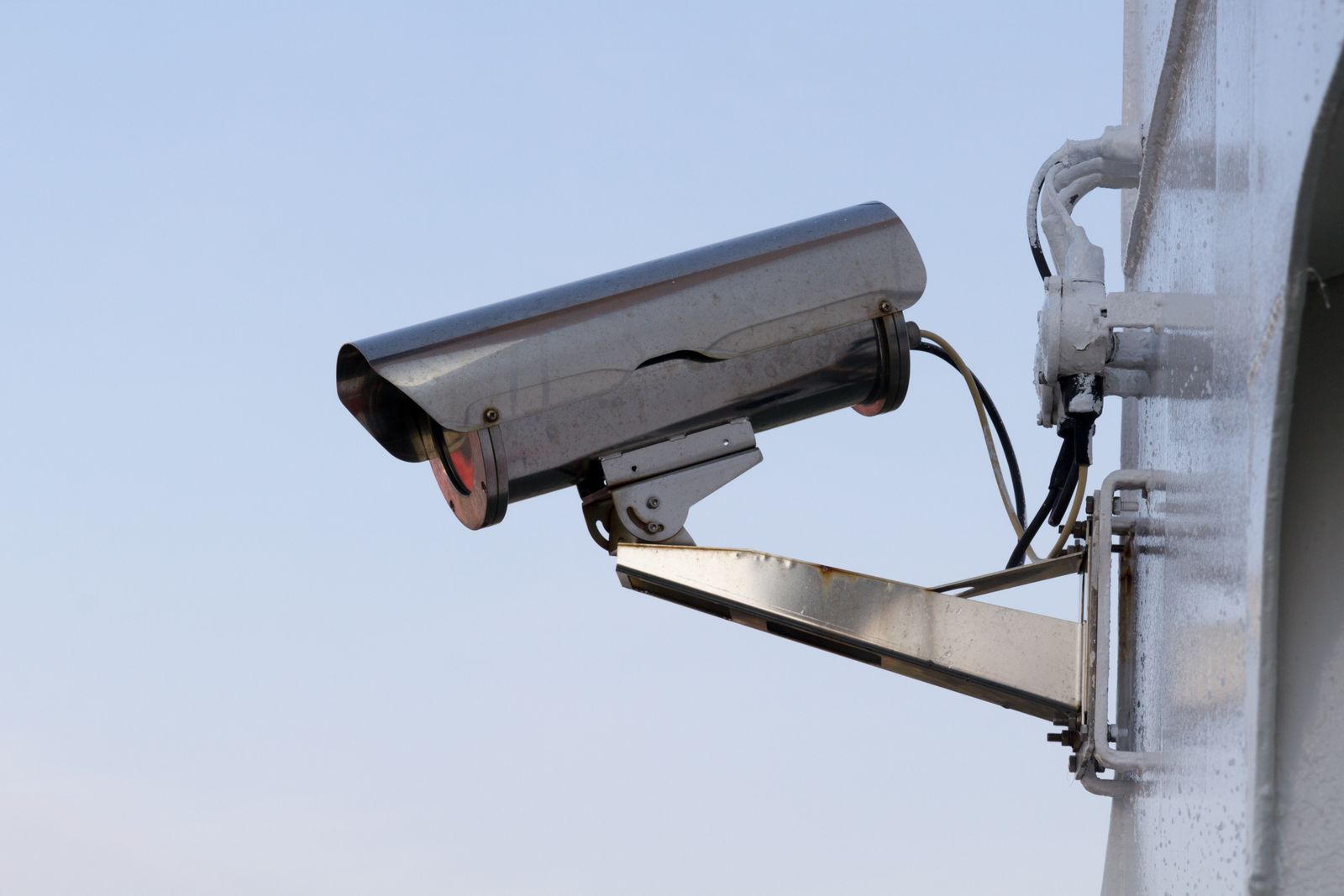
    An outdoor security camera mounted on a wall against a pale sky
    The cameras don’t care which release you’re on. The config migrations do. Photo via Pexels.

    The changes that will actually bite

    Frigate will try to migrate your config automatically, and the release notes are clear that you should back up both your config file and frigate.db first. Do that. The ones I’ve flagged for myself:

    Snapshots change format. Frigate no longer writes annotated JPEGs to disk. Only a clean, unannotated WebP is stored in /media/frigate/clips/, the clean_copy option is gone, and the default snapshot quality drops from 70 to 60 to reflect the WebP switch. If you have anything reading those .jpg files off disk — a notification script, a backup job, a dashboard card pointed at a path — it breaks. The replacement is the /api/events/<id>/snapshot.jpg endpoint, which now honours timestamp, bounding_box, crop, height and quality as query parameters.

    FFmpeg jumps to 8. FFmpeg 5 is deprecated and gets removed in 0.19, so this is the release to sort it out. There’s a known issue where go2rtc streams that transcode video with hardware acceleration need a small config change under FFmpeg 8 — worth checking before you upgrade if you rely on restreaming.

    Zones and masks change format to add enabled and friendly_name fields. A migrator handles it, but if it fails you’ll be editing those by hand.

    Intel GPU stats are measured differently — no more intel_gpu_top, no more CAP_PERFMON or privileged mode or perf_event_paranoid tuning. Frigate now reads the kernel’s per-client DRM usage counters directly. The notes are explicit that reported numbers may differ from before because the measurement method changed, not because the workload did. If you’ve got a Home Assistant gauge or an alert threshold on Frigate’s GPU percentage, expect it to move and don’t panic when it does.

    A few smaller ones: the DELETE /api/export endpoint is gone in favour of a bulk POST /api/exports, sync_recordings is replaced by a Media Sync pane in Settings, and timelapse_args gives way to custom export FFmpeg arguments.

    What I’m doing

    Not upgrading. Not yet. Cameras are one of the two things in my house I treat as production — the other is heating — and a beta with this many config migrations is not going anywhere near a system I rely on to still be recording tomorrow.

    What I am doing before stable: taking a copy of my config and database somewhere that isn’t the machine, grepping my Home Assistant automations for anything touching a snapshot file path, and checking whether my go2rtc setup transcodes with hardware acceleration. Three small jobs on a quiet evening, and they turn upgrade day from an event into a non-event. That’s the whole trick, and it’s the same trick every time.

    The chat agent I’ll probably never run. But I’d rather it exist as a provider slot I can leave empty than as a cloud feature I can’t turn off — and if that sounds like a low bar, look at what the rest of the camera industry is shipping this year.

  • Matter Finally Has Cameras — and for Once, Local Video Is Part of the Spec

    Matter Finally Has Cameras — and for Once, Local Video Is Part of the Spec

    For as long as I’ve run a local-first home, cameras have been the one category I kept at arm’s length. Everything else in my setup — lights, plugs, sensors, the whole Home Assistant OS box humming away on a used HP EliteDesk — talks locally and answers to nobody’s cloud. Cameras were the exception. Buy almost any consumer model and you’re really buying a subscription, a phone app, and a promise that someone else’s server will keep your living room to itself. So I mostly did without, and made do with a couple of RTSP cameras flashed into submission.

    That’s why the news out of the Connectivity Standards Alliance actually made me sit up. Matter 1.5 adds cameras to the standard — and, unusually for this industry, local access is written into the specification itself, not bolted on as an afterthought. Pair that with the fact that Home Assistant just rebuilt its entire Matter engine, and for the first time I’m genuinely curious about where this goes.

    What Matter 1.5 actually added

    Matter 1.5 was published by the CSA on 20 November 2025, and it’s the biggest functional expansion the standard has seen in a while. Four things landed at once: cameras, a unified model for “closures” (blinds, shades, awnings, gates, garage doors), soil sensors for irrigation, and a serious round of energy-management additions including standardized tariff data and bi-directional EV charging.

    Cameras are the headline, and the detail that matters to me is how they work. Matter cameras stream video and audio over WebRTC — the same peer-to-peer technology your browser uses for video calls — with two-way audio and both local and remote access via standard STUN and TURN. The spec also covers multi-stream setups, pan-tilt-zoom, detection and privacy zones, and flexible storage: continuous or event-based recording, to local storage or the cloud, the manufacturer’s choice. To move all that data around, 1.5 also added full TCP transport for large messages, which is what makes image-heavy device types like cameras practical in the first place.

    Read that carefully and you’ll notice what’s missing: a mandatory cloud. The standard defines local access as a first-class path. That doesn’t force any given vendor to give you cloud-free operation — a manufacturer can still build a camera that phones home for everything — but for the first time the plumbing for a local-only camera is part of the certified standard rather than something you have to reverse-engineer. That’s a meaningfully different starting point.

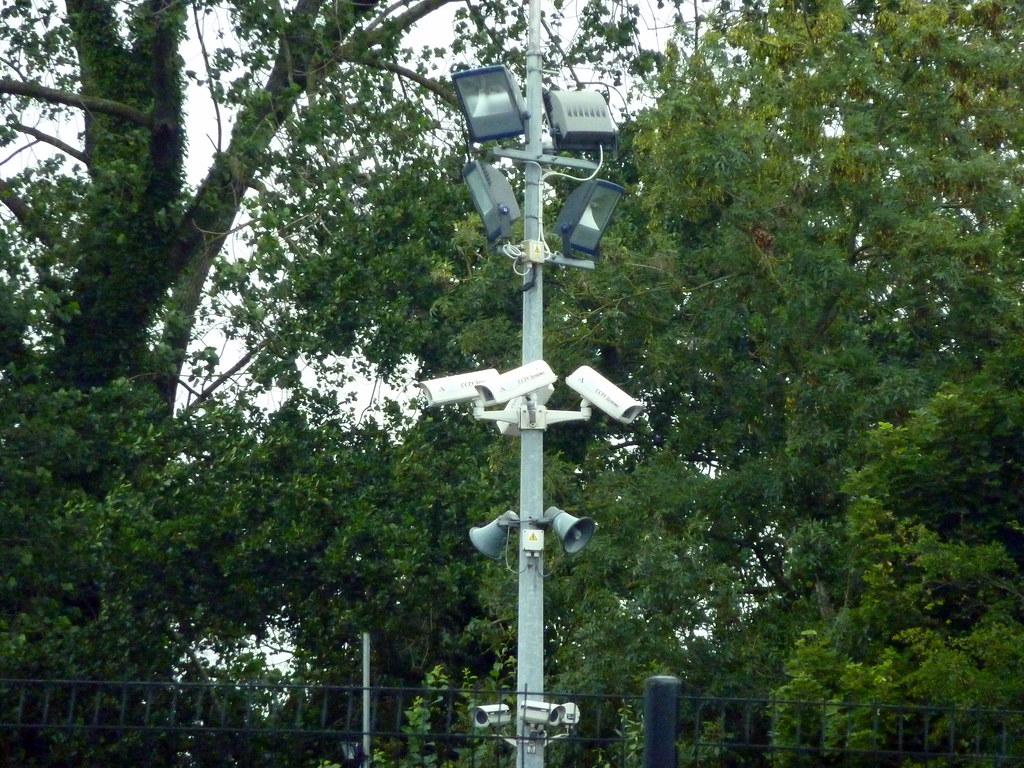
    Cluster of outdoor security cameras against a blue sky
    The category I’ve avoided the longest. Matter 1.5 finally makes a cloud-free path part of the spec. Photo: Sean MacEntee, CC BY 2.0, via Flickr.

    Home Assistant rebuilt its Matter engine at the same time

    Timing is everything, and the second half of this story is that Home Assistant didn’t stand still. In late June the team shipped a from-scratch rebuild of the Open Home Foundation Matter Server, moving it off the Python-and-C++ SDK foundation and onto matter.js, an open-source TypeScript implementation of the standard. It arrives as “Matter Server app 9.0,” a drop-in replacement that migrates your data on first start and otherwise behaves like the old one.

    The practical wins are the boring, important kind: faster start-up and recovery, quicker device reconnection, more reliable over-the-air updates, and tighter commissioning security — uncertified devices carrying only a development/test certificate can no longer be added out of the box, and the server now checks certificate revocation data when you pair something new. Crucially, this new server brings Home Assistant up to the Matter 1.5.1 specification, with 1.6 already in the pipeline. In other words, the software side is finally ready for the device types 1.5 introduced.

    The feature I didn’t expect to care about is the new network visualization in the Matter Server’s web UI. It maps every commissioned device as a node — a crown for the Thread leader, arrows for routers, markers for sleepy end devices — and colours the links by connection quality, green through red. If you’ve ever tried to debug a Thread mesh by squinting at logs and guessing which sensor is routing through which, this is the tool you wanted. For someone like me who runs everything locally and has nobody’s support line to call, having the network actually drawn is worth more than another dashboard card.

    Why a local-first house should care

    Here’s the honest part: none of this changes my setup today. I can’t walk into Digitec next week and buy a Matter 1.5 camera — the spec shipped in November, Home Assistant’s support landed in June, and certified hardware always trails the standard by many months. Matter now runs in roughly 38% of Home Assistant installs, so the demand is clearly there, but cameras specifically are still early. Anyone promising you a shelf full of Matter cameras right now is selling optimism.

    What it changes is the direction of travel. For years the smart-camera market has been a walled-garden business: the hardware is a loss leader for a subscription, and “local recording” is a feature they grudgingly allow rather than a default. A certified standard that treats local WebRTC streaming as normal is exactly the kind of lever that shifts defaults over time. It’s the same pattern I watched play out with plugs and relays — once the local path is standard, the cloud-only products start to look like the odd ones out.

    I’m also keeping my expectations calibrated. WebRTC being in the spec doesn’t guarantee a given camera exposes a clean local RTSP or recording path the way my current cameras do; vendors will still differentiate on their apps and services, and some will make the local experience deliberately thin. Storage is “manufacturer’s choice,” which is exactly where the cloud tends to sneak back in. So I’ll judge the first wave of Matter cameras the way I judge everything else here — by what they do when the internet is unplugged, not by what the box promises.

    What I’m actually going to do

    For now, nothing dramatic — and that’s the point of running things locally. My existing cameras keep working regardless of what the standards bodies do. But I did update the Matter Server app on the EliteDesk to 9.0, mostly for the reconnection speed and that Thread mesh view, and it migrated cleanly with no drama. When the first genuinely local-friendly Matter camera shows up at a Swiss retailer, I’ll buy one, plug it in, cut its internet access at the router, and see what survives. If it keeps streaming to Home Assistant with the WAN pulled, it earns a place on the wall. If it doesn’t, it goes back in the box and I’ll tell you why here.

    That’s the whole test, really. Matter 1.5 finally gave the industry a standard way to build a camera that respects your network. Whether manufacturers actually take that path is the story worth watching over the rest of 2026 — and it’s one I’ll be documenting from the one house I can vouch for.

  • Home Assistant 2026.7 Is Here: The Automation Editor Finally Speaks Human

    Home Assistant 2026.7 Is Here: The Automation Editor Finally Speaks Human

    Home Assistant 2026.7 landed yesterday, July 1, and I did what I always do on release day: read the notes twice, made a backup, and updated my box before breakfast. I run Home Assistant OS bare-metal on a used HP EliteDesk 800 G4 mini PC, no cloud in the loop, so a monthly core update is the one moment my otherwise boring, predictable house gets to change its mind about how it works. Most releases I skim. This one I actually stopped and read, because the headline change is something the team has been slowly building toward for eight months, and it finally shipped to everyone.

    The short version: automations no longer make you think like the machine first. That sounds like marketing until you have lived with the old way long enough to feel the difference. So rather than reprint the changelog, here are the parts of 2026.7 that actually matter from inside a local-first home, and the one reason I still didn’t rush every machine in the house onto it.

    The automation editor finally speaks human

    Purpose-specific triggers and conditions have graduated out of Labs and are now the default for everyone. If you have ever built an automation the old way, you know the wall: which entity, which state, does it become on or detected or home, do I need a state trigger or a numeric state trigger or a device trigger? None of those questions have anything to do with what you actually want. They are the tax you pay for the engine’s internals leaking into your face.

    The new triggers describe the moment instead of the mechanism. “When the bedroom drops below 18 °C, turn on the heating.” You pick Temperature crossed threshold and say what matters, without knowing whether the sensor reports in a percentage or a unit or an attribute buried three levels down. Battery low is another good one: it no longer cares how a given device reports its battery, it just fires when a battery is low. And because the building blocks are organized around areas rather than one device at a time, an automation like “when motion is detected in the office” scales without you hand-wiring every sensor.

    Two things reassured me before I touched it. First, nothing breaks: every existing automation I have keeps working untouched, because this is a new starting point in the editor, not a migration. Second, YAML did not get abandoned. Home Assistant’s own framing was blunt about it, that user experience is not a synonym for the UI, and YAML users deserve a good experience too. As someone who keeps a few gnarly automations in text because they are easier to diff and version, that mattered.

    Smart home devices and a control interface
    Fewer primitives, more intent. Photo: Pexels.

    The Activity timeline is the sleeper hit

    My surprise favorite is the rebuilt logbook, now called Activity. The old logbook was functional and forgettable. The new one reads top to bottom like a proper feed, groups entries by day, and finally looks like it belongs to the same app as everything else. That sounds cosmetic, and partly it is, but for a local-first setup where the logbook is your primary forensic tool when an automation misfires at 2 a.m., a timeline you actually want to open is worth more than it looks. I have caught myself opening it just to watch the house tick over.

    The quiet wins I’ll use more than I expected

    There is a new “update all” button, which is either a convenience or a foot-gun depending on your temperament. I like having it and I will almost never use it, for reasons I will get to. The ZHA Zigbee device management got an overhaul, which is welcome if you run Zigbee natively rather than through Zigbee2MQTT. There are now dedicated panels for infrared and radio-frequency devices, tucked into their own corner of Settings instead of scattered around. And you can now keep your Raspberry Pi firmware up to date from inside Home Assistant, which quietly closes one of those “wait, how do I even patch that” gaps that local setups tend to accumulate.

    The release also brings ten new community integrations. The one that raised an eyebrow for me is Dropbox as a backup target. I keep my backups local and off-box on my own NAS, so I won’t use it, but for people who want an off-site copy without standing up their own storage, having it as a first-class option is a reasonable, low-friction hedge against the one failure mode every home-labber underestimates: the disk under the desk dying.

    Should you update today?

    Here is the honest part. I updated one machine, my main box, the morning after release, and it went cleanly. I did not hit “update all” across everything else in the house, and I won’t for a week or two. Not because I distrust this release specifically, but because that is simply how I treat any core update: back up first, update one thing, live with it for a few days, and only then roll it wider. A monthly release cadence is a gift, but it also means a dot-zero is a dot-zero. There will be a 2026.7.1 and probably a .2, and the boring people who waited will have paid nothing for it.

    So my take: read the release notes yourself, take a backup you have actually tested restoring, and update your main instance when you have half an hour to babysit it rather than five minutes before you leave the house. The automation editor alone is worth the move, especially if you have friends or family who bounced off Home Assistant because building a simple automation felt like a coding exercise. This is the release I would finally hand them.

    Full details are in the official Home Assistant 2026.7 release notes, and the complete list of changes lives in the 2026.7 changelog. If you update, tell me in the comments what broke, or better, what didn’t.

  • Home Assistant 2026.7 Lets You Automate in Plain English — I Updated My Bare-Metal Box to See What Breaks

    Home Assistant 2026.7 Lets You Automate in Plain English — I Updated My Bare-Metal Box to See What Breaks

    Home Assistant 2026.7 landed on July 1, and for once the headline feature isn’t a shinier dashboard card or a new integration count to brag about. It’s a rewrite of how you build automations in the first place. The purpose-specific triggers and conditions that have been sitting in Settings > System > Labs since 2025.12 have graduated and are now the default for everyone. I updated my bare-metal box the morning it dropped, poked at every automation I care about, and I want to talk about what actually changed — not the marketing version.

    You now describe what you want, not how Home Assistant stores it

    Here’s the old ritual, the one that scares people off. You want the heating to kick in when the bedroom gets cold. So you open the editor and immediately have to answer a pop quiz about Home Assistant’s internals: which entity, which state, is it a state trigger or a numeric state trigger or a device trigger, does the value arrive as a percentage or a raw number, and what happens when the sensor reports unavailable at 3 a.m. If you’ve run HA for a while, that’s muscle memory. If you haven’t, it’s the wall you hit before you’ve automated a single light.

    The new building blocks speak the language of the thing you actually care about. You pick Temperature crossed threshold and say “below 18°C.” You pick Battery low and you don’t have to know whether the device reports a percentage sensor or some vendor’s idea of “low.” The moment you’d normally have to decide whether an automation should ignore unavailable, wait it out, or treat it as false — that decision is gone. As Home Assistant’s own release notes put it, there are no more “technical traps.” That phrase sounds like fluff until you remember the last time an event entity silently refused to fire the second time because its state didn’t change the way you expected.

    Automations built around areas, not one fragile entity

    This is the part I didn’t expect to like as much as I do. The new triggers and conditions support targets, so you can build an automation around “motion in the living room” instead of around one specific motion sensor. One sensor in that room, fine. Three, also fine. Swap one out next year, add the presence sensor you’ve been eyeing, or remove the one that kept triggering on the cat — the automation keeps describing the same intent: motion in the living room.

    For someone who runs a local-first home and tends to accumulate hardware over time, this quietly removes a whole category of maintenance. I have automations that are really just lists of entity IDs I have to remember to update every time I touch a room. Those lists are exactly the fragile thing this release is trying to kill.

    A digital thermostat mounted on a wall next to a window
    “When the bedroom drops below 18°C, turn on the heating” is now a single trigger, not a numeric-state puzzle. Photo: Pexels.

    The genuinely interesting bit: integrations can teach the engine

    This is more than friendlier wording, and it’s the part that made me sit up. Integrations have long been able to add their own actions. Now they can add their own triggers and conditions too. Picture a washing machine integration offering a plain “laundry is done” trigger, with nobody having to reverse-engineer which attribute means finished. An energy integration can expose “when the price is lowest today” instead of everyone rebuilding the same template for the hundredth time.

    That turns the automation engine into something integrations can teach, and it’s where “more power, less complexity” stops being a slogan. It also, honestly, gives the AI-assisted automation crowd much cleaner material to work with — though as the HA team notes, most models are trained on the old patterns and will keep suggesting them for a while yet.

    Nothing breaks — and YAML isn’t going anywhere

    Before you open a forum thread in mild panic: your existing automations keep working. Generic triggers, conditions, templates, raw YAML — all of it still runs. The new blocks are simply the better starting point for the next automation you write. There’s no migration tax. And the team put real effort into making the new building blocks read well in YAML too, so if text is your interface, this isn’t Home Assistant walking away from you. I write a mix of both, and my old YAML automations came through the update untouched.

    The logbook grew up into a timeline

    My sleeper favorite this release is that Activity — the thing most of us still call the logbook — has been rebuilt into a proper timeline. Instead of a flat list of full sentences repeating the device name on every row, entries now sit on a vertical rail: time on the left, a state-colored dot with the entity’s icon, the text beside it, grouped by day with Today and Yesterday headers. It trims the name down to wherever you’re looking, and it finally uses the same state wording as the rest of Home Assistant instead of logbook-only verbs. It also shows the cause right next to the event — a person’s avatar, the automation that fired, the integration’s brand icon. Reading back a busy day is suddenly something I don’t dread.

    “Update all” — useful, and I’ll still be careful

    The updates page has been reorganized into cards — Home Assistant Core/OS/Supervisor at the top on their own, then grouped cards for integrations, apps (formerly add-ons), and those seven ESPHome devices that all shipped firmware in the same week. Each group gets a single Update all button. Notably, Core, OS, and Supervisor deliberately don’t get one; you apply those yourself, on purpose.

    I appreciate the design restraint there, because it matches how I already work. Regular readers know I update one Zigbee device at a time and I don’t fire off a batch upgrade the night before I’ll be away. “Update all” is a real quality-of-life win for a wall of trivial updates, but I’ll keep using it for the low-stakes cards and applying the system-level ones by hand with a backup in front of me. A one-tap convenience button doesn’t change the fact that the boring habit is what keeps a local home boringly reliable.

    A few new integrations worth a local-first glance

    Ten new community integrations shipped with 2026.7. Three caught my eye for different reasons. Chef iQ reads its wireless cooking probes over Bluetooth with no cloud account, hub, or base station — the probe simply broadcasts and HA listens passively, which is exactly the kind of thing I want more of. energieleser pulls real-time consumption from stromleser/gasleser-style meters over a local HTTP API, so the data stays on your network. And Dropbox arrives as a backup destination — genuinely handy, though worth naming honestly: it’s an off-site cloud target, so it’s a complement to a local backup, not a replacement for the local-first principle. Useful, eyes open.

    Verdict

    2026.7 is the rare release where the flagship feature earns the billing. The automation editor rewrite is roughly eight months of work finally handed over to everyone, and the “describe the outcome, target the area” model is a real reduction in the busywork of running a growing home. Add the timeline and the tidied-up updates page and this is an easy update to be enthusiastic about — carefully, with a backup, one system-level component at a time. I’ll report back once I’ve rebuilt a couple of my uglier automations the new way.

    Sources: the official Home Assistant 2026.7 release notes and the new per-block triggers and conditions documentation. Product mentions are factual; this post contains no affiliate links.

  • Home Assistant 2026.6 on Bare Metal: The New Card Picker Is Great — When the “By Card” Tab Actually Loads

    Home Assistant 2026.6 on Bare Metal: The New Card Picker Is Great — When the “By Card” Tab Actually Loads

    I run Home Assistant OS bare-metal on a used HP EliteDesk 800 G4 mini PC, no virtualisation, no cloud, and I treat every monthly release like a small weather front rolling in: usually welcome, occasionally bringing a leak I have to mop up. The June drop, Home Assistant 2026.6 “Pick a card, any card”, landed on the 3rd, and the headline feature is one I’ve quietly wanted for years. So I upgraded the morning it came out, poured a coffee, and went looking for the catch. There is one. More on that below.

    The card picker finally asks the right question

    For as long as I’ve used Home Assistant, adding a card to a dashboard meant being shown a wall of card types — entities card, glance, tile, gauge, history-graph — and being expected to already know which one I wanted before I’d even decided what I was trying to show. It’s backwards, and every beginner I’ve helped has tripped over it.

    2026.6 flips the question. Instead of “which card type?”, the new picker asks “which thing in your home do you want to show?” You browse by entity or by area, pick the thing, and Home Assistant suggests cards that actually make sense for it — each one rendered as a live preview using your data, before you commit. No more add-it, squint-at-it, delete-it, try-the-next-one. On mobile it splits into a clean two-step flow: pick the entity, then pick the card. Custom cards can opt into this too; if one you’ve installed has signed up, its suggestions appear under a separate Community section. It’s the kind of change that doesn’t add a feature so much as remove a thousand tiny frustrations.

    The weather tile earns its spot on the wall

    The tile card picked up two genuinely useful weather tricks. There’s now a temperature forecast that draws a little bar chart of the coming days’ highs and lows, coloured from cool cyan up to deep red, and a precipitation forecast that shows expected rain or snow per slot. I’ve had a weather entity sitting on my hallway dashboard for ages doing nothing but printing a number; it now actually tells me whether to grab a jacket at a glance. The media player tile got some love in the same release, which I care about less, but it’s there.

    Smart home devices
    A local-first setup lives or dies on its dashboard. Photo: Jakub Zerdzicki / Pexels

    IR remotes that listen, and sirens that behave

    This is the one that made me grin. After being teased across the last couple of releases — 2026.5 was literally titled “We’re on the same frequency now” — infrared remotes can finally receive signals, not just blast them out. For a local-first setup that’s a real unlock: I can point an old physical remote at a receiver and use its button presses as automation triggers, no cloud round-trip, no vendor app. That’s exactly the kind of thing that keeps me on this platform.

    On the protocol side, Matter sirens now show up as proper siren entities you can switch on and off from automations and dashboards, and Z-Wave gained smart-lock credential management. The automation editor also got quietly smarter: live condition tests and target counts while you’re building, plus an “Add to” button on entity and device pages that spins up a new automation with that entity pre-filled as a trigger, condition, or action. Small things, but they shave minutes off every automation I write.

    The honest part: my “By Card” tab came up empty

    Here’s the leak. The shiny new picker has a “By Entity” tab and a “By Card” tab, and for a chunk of us the By Card tab loaded completely blank — no cards listed at all — and, more annoyingly, pasting a card I’d copied to the clipboard stopped working. I’m not the only one; there’s an active community thread reporting exactly this, “Since 2026.6 By Card Picker empty and paste function broken.” The By Entity flow worked perfectly for me, so it didn’t block anything, but if you lean on copy-paste to clone cards between dashboards — I do, constantly — it’s a real papercut.

    For what it’s worth, clearing the browser cache and doing a hard reload sorted the empty tab on one of my machines but not the other, which points at a frontend issue rather than anything in my config. I’d expect a point release to clean it up. This is also the reason I never upgrade a production instance blind: I keep a full snapshot from before the update so rolling back is a two-minute job, not a panic. If you haven’t built that habit yet, build it before you touch 2026.6.

    Should you upgrade?

    Yes — but on your terms. The card picker alone makes dashboard work meaningfully nicer, the weather tiles are a quiet delight, and IR receive is a proper local-first win. None of it is essential, none of it breaks your existing dashboards, and the one rough edge has a workaround and a fix surely on the way. Take a snapshot, read the full changelog for breaking changes that touch your specific integrations, and then enjoy it. That’s the whole local-first bargain: you own the timing, you own the rollback, and nobody pushes anything to your house that you didn’t choose.

    I’ll report back if 2026.6.x changes anything worth knowing. For now it’s running happily on the EliteDesk, fan barely audible, doing exactly what I asked of it.